List: Multitap Supporting Games – Turbografx-16 & Turbo CD

Sorry for the delay, I’ve been so busy updating, fixing up, and adding more detail to my spreadsheet of games I own to get some new, or old, review posted/updated.  So, here’s a nice list!  This should be complete, and it’s very useful now, since PCECP has sadly disappeared.  Here’s hoping the site comes back!

Turbografx/PC Engine games require a TurboTap multitap for any simultaneous multiplayer modes — the system has only one controller port.  The multitap supports up to five players.  So, this list includes all TG16/PCE & TCD/PCECD games with multiplayer support.

The main list is broken up into two parts, for HuCard games first and CD games second.  After that is a second list of only the shmups, for people who only care about those games and not the rest.

Sources:
http://www.pcenginefx.com/forums/index.php?topic=1834.0 (registration required)
http://www.pcecp.com/ (dead site; hopefully someone fixes it, it’s needed!)

HuCard Games

Format:  Includes standard HuCards and SuperGrafx games; SuperGrafx first, then games released in the US, then Japan only titles.

Incorrect Listing in Database – No Multiplayer

Psychosis (incorrectly listed as 1,2 player in the database)

One Player, but with a multitap you can play with one of the other controllers

(JU)
Pac-Land

Alternating Multiplayer (Two Player) (unless noted, the players alternate on one controller) (“1,2” player on PCECP)

(J) (SuperGrafx)
Madou-Ou Granzort
(JU)
Devil’s Crush (players do use different controllers, so multitap is required)
Fantasy Zone (incorrectly listed as 1-2 player in the database)
Legend of Hero Tonma
Ninja Spirit (players do use different controllers, so multitap is required)
(J)
Gradius
Parodius Da! (incorrectly listed as 1-2 player in the database)
Toy Shop Boys (incorrectly listed as 1-2 player in the database)

Two Player Simultaneous (“1-2” player)

(J) (SuperGrafx)
1941: Counter Attack
(U)
Andre Panza Kick Boxing (incorrectly listed as “2” player (only) in the database)
Yo’Bro
(JU)
Aero Blasters
Ballistix
Bonk 3 – Bonk’s Big Adventure
Cadash (incorrectly listed as “2” player (only) in the database)
Chew-Man-Fu
Champions Forever Boxing
Double Dungeons
Falcon (TurboExpress Link ONLY!)
Final Lap Twin
Military Madness
Ordyne
Parasol Stars: The Story of Bubble Bobble III
Shockman
Super Volleyball
Takin’ it to the Hoop
World Class Baseball
(J)
15-in-1 Mega Collection
1943 Kai
5-in-1 Famicom Collection
Bullfight Ring No Haja
Burning Angels
Columns (TurboExpress Link ONLY for multiplayer!)
Cyber Dodgeball
Detana! Twinbee
Don Doko Don
Downtown Nekketsu Monogatari (NES: River City Ransom)
Dragon Saber – The After Story of Dragon Spirit
Fighting Run
Fire Pro Wrestling – Second Bout
Fire Pro Wrestling 3 – Legend Bout
Hani on the Road
Honou No Toukyuu-ji Dozzi Danpei
Juuouki (Altered Beast) (the CD version is one player only, but the cart is two player)
Kaizou Ningen Shubibinman
Kickball
Kore Ga Pro Yakyuu ’89
Kore Ga Pro Yakyuu ’90
Monster Pro Wrestling
Naxat Stadium
Nekketsu Koukou Dodge Ball Bu: PC Bangaihen (NES/NeoGeo/etc: Super Dodge Ball)
Operation Wolf
Power Eleven
Power League
Power League All Star Gold HuCard
Power League II
Pro Yakyuu World Stadium
Puzzle Boy (also supports TurboExpress Link) (database incorrectly lists it as 1 player or link only, but it supports 1 or 2 players and link)
Racing Spirits
Ryukyu
Salamander
Shogi Shodan Icchokusen
Shogi Shoshinsha Muyo
Spin Pair (also supports TurboExpress Link)
Street Fighter II’: Champion Edition
Strip Fighter II
Toilet Kids
Tsuppari Ozuma Heiseiban
Zero 4 Champ

Three Player

(JU)
Power Golf
(J)
F1 Triple Battle

Four Player

(JU)
Davis Cup Tennis
Hit the Ice
Jack Nicklaus Turbo Golf
Sonic Spike Volleyball
World Court Tennis
(J)
21 Emon
Break In
Champion Wrestler
F1 Circus (1 player only for races I think; the multiplayer is some odd mode)
Final Match Tennis
Fire Pro Wrestling
Formation Soccer Human Cup ’90
Formation Soccer On J League
J League Greatest Eleven
Naxat Open
Nekketsu Koukou Dodge Ball-Bu PC Soccer-hen (NES: Nintendo World Cup)
Power League ’93
Power League III
Power League 4
Power League 5
Power Tennis
Pro Tennis World Tour
Pro Yakyuu World Stadium ’91
Super Momotarou Densetsu
Winning Shot
World Beach Volleyball
World Jockey

Five Player

(JU)
Battle Royale
Bomberman (also supports TurboExpress Link)
Bomberman ’93 (also supports TurboExpress Link)
Dungeon Explorer
King of Casino
Moto Roader
TV Sports Basketball
TV Sports Hockey
TV Sports Football
World Sports Competition
(J)
Appare! Gateball
Battle Lode Runner
Bomberman ’94
Moto Roader II
Super Momotarou Densetsu II
You-You Jinsei

2-5 player (no single player support)

(J)
Bomberman ’93 Special
Bomberman Users Battle

CD Games

Format: Includes CD-ROM2, Super CD-ROM2, and Arcade CD-ROM2 titles; each section is separated by the type of CD games are.

Two Player

(U) (Super CD)
Bonk 3 Bonk’s Big Adventure CD
John Madden Duo CD Football
(JU) (CD)
Buster Bros.
Fighting Street
Monster Lair
Splash Lake
Vasteel
(JU) (Super CD)
Forgotten Worlds (via code only, p2 is the floating orb)
Godzilla
(J) (CD)
Efera & Jiliora – The Emblem from Darkness
Hellfire S – The Another Story
Kaizou Ningen Shubibinman 3 Makai no Princess
Legion
Pro Yakyuu, The
Quiz Donosama No Yabou
Rom Rom Stadium
(J) (Super CD)
Advanced V.G.
Ai Cho Aniki
Ane-san
Aoki Ookami to Shiroki Mejika
Asuka 120% Maxima Burning Fight
Bonanza Brothers
Cardangels
CD Battle Hikari No Yuushatachi
Chiki Chiki Boys
Double Dragon II: The Revenge
Downtown Nekketsu Monogatari
Faceball
Faceball, Sample disc of
Flash Hiders
Galaxy Deka Gayvan
Kakutou Haou Densetsu Algunos
Kick Boxing (The)
Lemmings
Magicoal
Martial Champions
Mystic Formula
Neo Nectaris
Pop’n Magic
Pro Yakyuu Super (The)
Pro Yakyuu Super ’94 (The)
Psychic Storm
Puyo Puyo CD
Puyo Puyo CD Tsuu
Rainbow Islands
Shogi Database Giyuu
Space Invaders The Original Game
Tecmo World Cup Super Soccer
Travel Epuru
(J) (Arcade Card Supported, CD/Super Card Required (better with Arcade Card))
Wrestling Angels Double Impact
(J) (Arcade Card Required)
Art of Fighting
Battlefield ’94 In Super Battle Dream
Fatal Fury 2
Fatal Fury Special
Ginga Fukei Densetsu Sapphire
Kabuki Itouryodan
Mad Stalker Full Metal Force
World Heroes II

Three Player

(J) (CD)
Sankokushi Eiketsu Tenka Ni Nozomu
(J) (Super CD)
Go! Go! Birdie Chance
Metamor Jupiter (players 2 and 3 control the helper bit things, I believe; it may require a code)

Four Player

(JU) (CD)
Jack Nicklaus Turbo Golf
(J) (CD)
Color Wars
Sugoroku ’92 Nari Tore Narigari Trendy
Super Albatross
(J) (Super CD)
Davis Cup Tennis (The)
Deden No Den (sometimes called Denden no Den, and incorrectly listed as “2” player in the database)
Downtown Nekketsu Soreyuke Daiundoukai
Dragon Half
Human Sports Festival
Motteke Tamago
Police Connection
Power Golf 2 – Golfer
Zero i Tore Nariagari
Zero 4 Champ II
(J) (Arcade Card Supported, Super CD Required (better with Arcade Card))
Formation Soccer ’95
J. League Tremendous Soccer ’94

Five Player

(JU) (Super CD)
Dungeon Explorer II
(J) (CD)
Dekoboko Densetsu: Hashiru Wagamanma
IQ PANIC
Quiz Avenue
Quiz Avenue II
Quiz Caravan Cult Q
Quiz Marugoto The World
Quiz Marugoto The World 2 Time Machine Ni Onegai!
Shanghai III: Dragon’s Eye
(J) (Super CD)
Bomberman – Panic Bomber
Moto Roader MC
Police Connection
Quiz Avenue III
Quiz no Hoshi
The Davis Cup Tennis
The TV Show
Zero 4 Champ

2-5 player (no single player support)

(J) (Super CD)
Bomberman ’94 Taikenban

1-8 Player Alternating (NOT simultaneous)

(J) (Super CD)
Nobunaga No Yabou Bushou Fuu Roku
Nobunaga No Yabou Zenkokuban
Sangokushi III

SHMUPS ONLY LIST

Notes: All titles in this section of the list are also listed above, but because many people care the most about the shmups on this system, I also made a shmups-only version of the TG16/CD multitap-games list.  Here it is. 🙂

HuCard

JP SuperGrafx

1941: Counter Attack

US+JP

Aero Blasters
Fantasy Zone (alternating multiplayer only)
Ordyne
Psychosis (alternating multiplayer only)

JP Only

1943 Kai
Detana!! Twinbee
Dragon Saber – The After Story of Dragon Spirit
Gradius (alternating multiplayer only)
Parodius Da! (alternating multiplayer only)
Salamander
Toilet Kids
Toy Shop Boys (alternating multiplayer only)


CD (Arcade CD, Super CD, or CD noted)

US+JP

Buster Bros. (CD) (static shooter)
Forgotten Worlds (Super CD) (2 player mode is via code only, p2 is the floating orb)
Monster Lair (CD) (part shmup, part autoscrolling sidescrolling action game)

JP Only

Ai Cho Aniki (Super CD)
Ginga Fukei Densetsu Sapphire (Arcade CD)
Hellfire S: The Another Story (CD)
Legion (CD)
Metamor Jupiter (Super CD, Three Player) (players 2 and 3 control the helper bit things, I believe; it may require a code)
Psychic Storm (Super CD)
Space Invaders The Original Game (Super CD) (static shooter)

As far as run & guns go, I think that Mystic Formula (Super CD) and Horror Story (Super CD) might be the only ones with multiplayer… and they are not exactly loved.  They seem to be considered average at best.

Posted in Classic Games, Lists, Turbo CD, TurboGrafx-16 | Tagged , , , , , , | Leave a comment

Speed Racer (Wii) Review – Fast and Fun Futuristic Racing

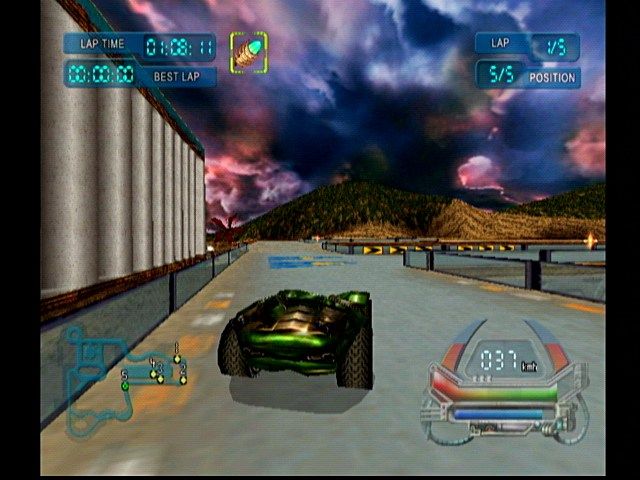
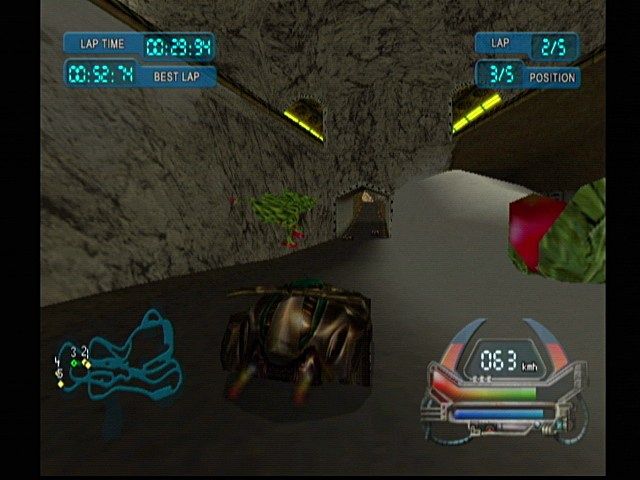
This review combines a few posts I made back in 2011 about this game into a review.  So, the article is part new and part old.  Speed Racer for the Wii/PS2 is a very fun futuristic racing game.  It’s great fun stuff, I recommend it!  Yes, I know the screenshots are not great quality.  They’re as good as I could quickly find online.

  • Title: Speed Racer
  • Platform: Wii (also available on PS2)
  • Developer: Sidhe Interactive
  • Publisher: US/EU:  Warner Brothers Interactive Entertainment; Japan: Activision
  • Released: 2008 in all major regions (US, EU, and JP)
  • Review Written: Original posts 2011, review put together 10/21/2014
jeuxvideo

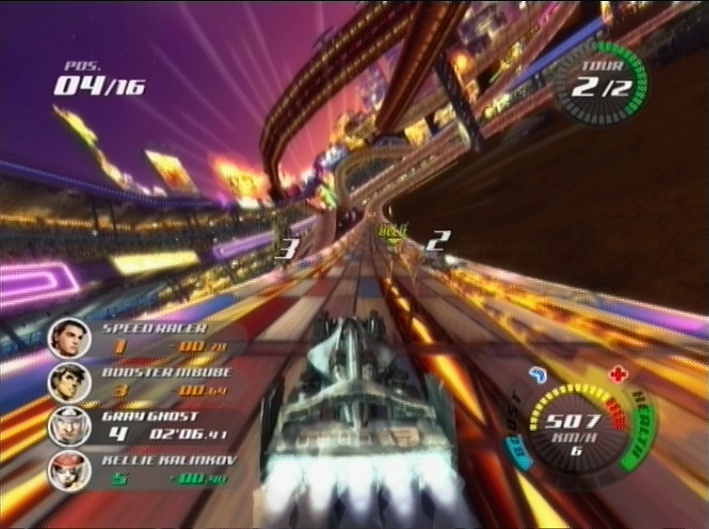
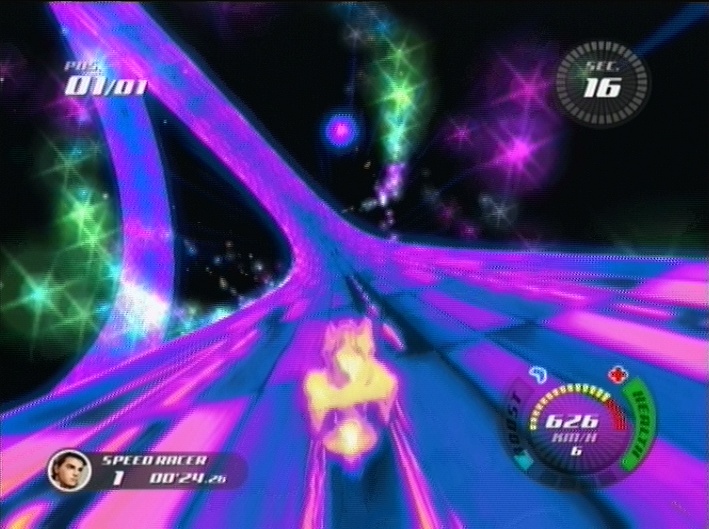
It’s a fast and colorful game.

INTRODUCTION AND GAME MODES

Speed Racer is a futuristic racing game based on the mid ’00s CG movie.  Like the movie, this game is under-rated and actually is pretty good, even if not enough people know it.  Watch the modern Speed Racer movie, it’s good stuff!  As for the game though, this game does not use the plot of either the movie or the original classic anime series.  Instead, this is a simple and fun straightforward racing game with no real story.  That is fine with me, that’s all a racing game like this needs.

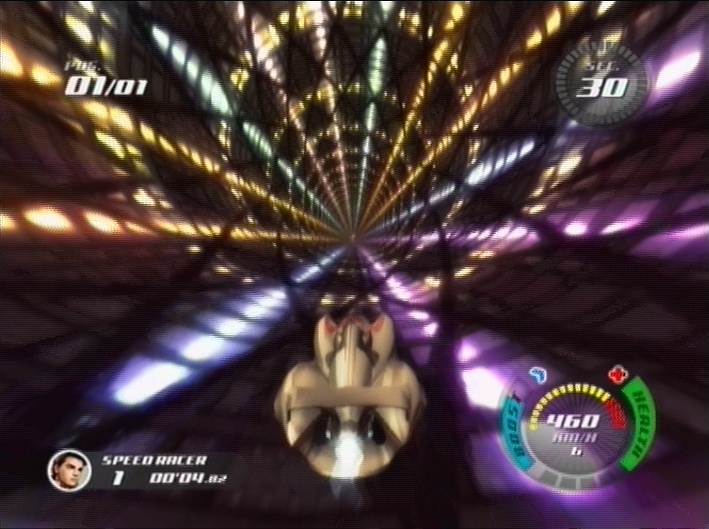
The game is fun to play, blazing fast, has a great visual style and nice graphics, even if they aren’t the best on a technical level.  On the track, as in the film, tracks are all very colorful, narrow airborne strips of road.  The controls are standard motion-based Wii driving controls; they work fairly well, but do have a couple of issues; more later.  The game is shiny-looking, fast, and fun to play.  Speed is definitely the name of the game here!  The cars in Speed Racer are fast, and you have turbo boosts that make you go even faster.  When going fast enough the graphics warp in a very cool visual effect.  But in terms of gameplay Speed Racer is a simple game, and the selection of options is simple.  There is single race, a circuit championship that is the main game, two player splitscreen, and options; that’s about it.  There are several different race types, as well, including normal races, long Endurance races, and more.  The game has a decent variety of tracks, a good number of cars to choose from, and presents plenty of challenge.

However, Speed Racer does have some downsides as well.  The major ones are that it is kind of short, has only five environments with three track variants each plus a reverse options, and is a very simplistic game and lacks depth.  Also, there are almost no new ideas here — almost everything in this game comes from F-Zero, Mario Kart, Extreme-G, Wipeout, and other major racing games like this.  However, even if there are only five track environments, the variants are significantly different, and reverse mode adds a lot as well; the amount of contents is reasonable.  And even if the game is simple, it’s also fun.  The frustrating catchup-centric AI is harder to excuse away, though, and the simplistic gameplay may not be for everyone.

On that note, the only element of memorization in this game is learning boost strip locations. That is important, but it doesn’t even begin to compare to the depth and complex challenge of games like F-Zero or Wipeout, and yes, it is simplistic compared to XGRA too. This is a flaw; I like some depth in these games and miss it here.  Speed Racer is fun to play anyway, but it would be better with more depth. I sometimes have felt that I shouldn’t be liking the game because of how simplistic it is, but it’s so much fun that I can’t help it, apart from that frustrating AI.  Yes, I do really like this game, but at times the AI can really be aggravating.  It’s fortunate that the game looks so nice and is so simple, easy, and fun to play, because otherwise I’d have quit in frustration already I think.  But it is indeed fun, so I didn’t.

jeuxvideo

Max Boost!

GRAPHICS AND SOUND

Graphically, the game is high-speed and has flashy visual design.  The graphics are very colorful and bright, and have lots of style!  The game uses a lot of bright, shiny colors, bright oranges and greens and blues all over… it’s got a great look to it.The visual look helps keep me coming back despite the frustration.  I really like the games’ art design; futuristic racing games rarely try to do tracks as bright and colorful as these are.  Dark and dour is much more common in this genre than bright and shiny, but this game breaks that mold.  In terms of technical achievement, though, the game is nothing special; they later made a PS2 port of this game, and I can see how it could be done.  Speed Racer doesn’t push the Wii to its limits.  It does look fairly nice, though.  The game sounds good as well.  The game has a reasonably good techno music soundtrack that keeps the tempo up.  There aren’t enough music tracks, so it repeats a lot, but what’s there is good.

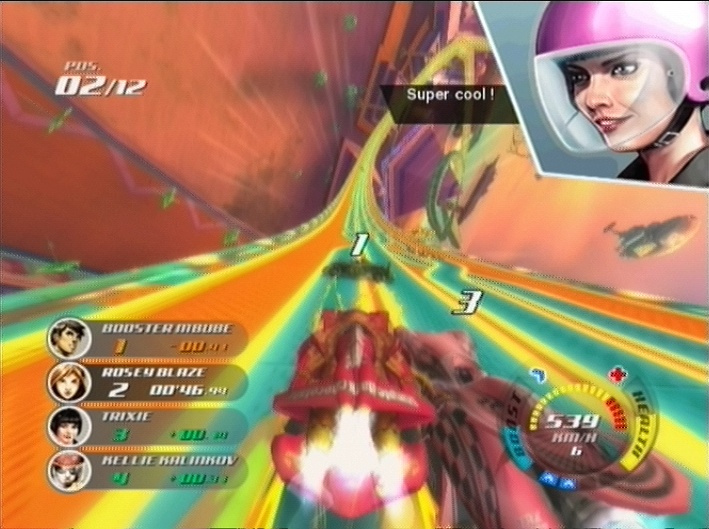
I do have one issue with the audio, though: the voices.  While racing, the other racers say something to you with a voice quote, with giant on-screen portraits, every single time you pass them, attack them, get attacked, and more.  It’s all far too often!  A few voice insults here and there, as you see in XGRA, are great and add to the TV or movie feel, but this is kind of broken, the quips are constant!  It gets incredibly annoying very, VERY quickly. Fortunately, in the options menu you CAN turn off the portraits, and voices have their own slider in the sound menu, so you can turn off voices by setting the volume for that low without affecting music or sound effects. That is good, and that is exactly what I’ve done — turned off portraits, and turned voice volume quite low so I can barely hear it.  Again, if they were infrequent, as they are in XGRA, it’d be fine, but they’re not, they are incessant and very annoying.  Really I’d have preferred an option to keep them, but make them much less frequent, but lacking that, at least you can turn it off.

On the track, as in the film tracks are all very colorful, narrow airborne strips of road.  As for depth, the only element of memorization in this game is learning boost strip locations. That is important, but it doesn’t even begin to compare to F-Zero or Wipeout, and yes, it looks simplistic compared to XGRA too. This is a flaw, I like some depth in these games and miss it here. It’s fun to play anyway, but it would be better with depth. I sometimes have felt that I shouldn’t be liking the game because of how simplistic it is, but it’s so much fun that I can’t help it… apart from the frustrating, catchup-style AI.  Yes, I do really like this game, but at times the AI can really be aggravating.  It’s fortunate that the game looks so nice and is so simple, easy, and fun to play, because otherwise I’d have quit in frustration already I think.  But it is indeed fun, so I didn’t.

jeuxvideo

You can disable the rider head popups.

CONTROLS, AI, AND GAMEPLAY

Returning to the good elements of the game, the game has good controls, for the most part — I like the motion controls for racing games, they work well.  As usual on the Wii, you hold the Wiimote sideways, and tilt to turn.  In a simple game like this, it mostly works fine.  The game has F-Zero X/GX-inspired attacks as well, and they work great with motion controls.  There’s a slam (move the Wiimote sideways quickly, as anyone who has played those F-Zero games should expect), a spin (turn the Wiimote in a circle), and a jump (move the Wiimote upwards).  The first two of those obviously come straight from F-Zero.  Speed Racer is a good game, but it really is lacking in new ideas, and depth as well.  The only problem I have with the controls is when you get stopped against a wall.  It definitely has the feel that the game is designed for you always to be moving forward, and doesn’t really know what to do when you’re stopped against a wall and need to turn back into the race.  It takes an incredibly long time to turn, the speed of the turn is just agonizingly slow.  If not for the catchup, one stop of this type would finish you for the race… but saying “this one bad design decision makes this other bad design decision a little less annoying” isn’t exactly strong praise. Still, as long as you are going forward, the controls work well, and the motion-based attacks are great fun.  I have no problem with motion controls when they’re done well, and they are here.

So, in the game, you zoom along through these airborne paths, trying to avoid enemies and make it through the tracks.  When you have enough turbo, boost!  Using a boost uses one level of the boost meter in the lower right corner of the screen.  You can use boost one block at a time, but saving it up for a long boost late in the race can be a good idea as well.  At max boost, as the screenshot above shows, the colors change.  It looks really cool, particularly combined with how fast you’re going!  Most curves in this game are not hard to get around; there are some obstacles on the tracks you will need to learn, but not too many.  As I said earlier, the main memorization element here is just trying to learn the boost strip locations, not memorize the turns.  The tracks were clearly designed with motion controls in mind, which helps keep them fun despite the slightly inaccurate nature of tilt-to-turn.

Perhaps your toughest obstacle in Speed Racer doesn’t come from the course, though; perhaps the thing that is most frustrating about this game is the opponent AI.  In order to keep the game exciting, the developers made it so that computer-controlled vehicles are almost always all in a tight group, battling eachother.  This means that the game has crazy amounts of catchup, as the computers always keep close together, right behind you all the time.  When you, or anyone else, are destroyed, the car is reset on the track after a short delay.  It’s not much of a punishment, not in a game with as much catchup as this one has.  Computer cars cheat ridiculously to catch up and pass you.  You can never, ever get ahead and get a lead, the whole pack will be right on your tail at all times.

I hate this Mario Kart style catchup/”always on your back”-based AI, and it has no place in a futuristic racing game.  It isn’t enough to entirely ruin the game, but it does make it very frustrating when you lose a race because of one mistake, or enemy attack, late in the race.  This is actually kind of odd, because design-wise this is a simple, easy to pick up, and straightforward game. The designers obviously were trying to make a game with mass-market appeal, because the game has so much less depth and complexity to its design than any F-Zero, Wipeout, or Extreme-G game, to name just a few… but at the same time, the AI they put in to make the game exciting also makes it very annoying at times. This is definitely a double-edged sword, for any market.  The simple gameplay will draw people in, but will they stay through the frustration?  They should, but I don’t know if they did.

In single player series races, the game has a Rival and Ally system.  Unfortunately, it’s a pretty pointless system, really.  Rivals supposedly attack you more, and Allies won’t attack you and supposedly attack your Rivals, in certain races anyway. Rivals are preset for each character — each one of the racers has specific rivals, and one or two preset allies. However while you can’t add more rivals, you can add more allies. Before each race you’ll get alliance requests which you can accept if you want, to reduce the number of people attacking you. However, try to avoid attacking Allies because it’ll punish you a little, and when you attack an ally you automatically become un-allied.  Really the whole system could have been removed without it mattering much at all, it wasn’t implemented that amazingly well.  It never felt, to me, like the rivals or allies really mattered.  However, the system is there, and might be a little bit of a help once in a while.

The AI issues are always present, though.  It is very common for the computer to keep running up behind you and attack you from the rear at the last second, dropping you back then places moments before the end of the race.  When this happens, as it will far too often, you have no choice but to start the entire eight minute race over again.  I do not like the Endurance races for this reason, they are too long for a game like this where luck matters as much as skill does.  Other than that though, I quite like it.  The game is fun enough to be well worth playing despite the occasional annoyances.  The rest of the time, it’s a shiny, fast-paced thrillride!

jeuxvideo

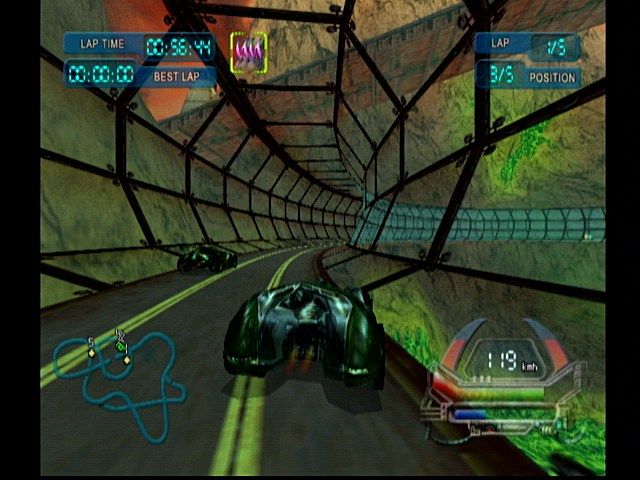
Tube section!

CONCLUSION

Overall, Speed Racer is definitely flawed, but is a good game. It’s fast, pretty, and fun to play.  I am a definite fan of the genre, and think that futuristic cars going hundreds of miles an hour on roads twisting through the sky full of bright neon colors is way cooler and more conceptually interesting than any modern-day car racing game, thematically, but that doesn’t mean all futuristic racing games are good; they definitely aren’t.  This one is good, though, despite my complaints.  This is a game you need to play to understand, I think.  This kind of game is best understood through experience!  But yes, I do like Speed Racer quite a bit.  It is one of the better racing games on the Wii, no question.  It’s fast, usually fun, looks nice, plays well, and makes good use of some of the strengths of the Wii with its solid motion driving controls.  I wish that they’d put in more normal AI and maybe had a little more depth, but oh well; what is here is mostly fun.  Speed Racer is a good game and gets a solid B score.


There is also a PS2 version of the game, which came out months after the Wii one and evidently changed some stuff.  I have not played that version myself, though, so I can’t say much about it.  I still mean to get it sometime.

VIDEOS


This video is of someone using an always-full-turbo cheat. Go to 2:05 to see full 4-level turbo boost mode, it changes the colors and looks pretty awesome.

Posted in Full Reviews, Modern Games, Nintendo Wii, Reviews | Tagged , , , , | Leave a comment

Game Opinion Summaries: Sega 32X & 32X CD

Introduction

I started this list in 2010, and continued it in 2013, updating it with some thoughts on the games I’d gotten since making the original list.  Now I’m posting it here too, with one more review and some expanded thoughts for most of the games.  Even though the list is now longer than the old version, this is still by far my shortest of these Game Opinion Summaries lists; I have few games for the system, there aren’t many to get, and I didn’t write as much in 2010 in these lists as I would now. I expanded some of the reviews out, but others are still pretty short.  But it’s the small collection, and small library, that are the main reasons, and also the main things that push people to not buy a 32X — the system has very few games for it.  There are good reasons to get one anyway, though.

US box


System Overview

The 32X is the second, and final, major addon to the Sega Genesis.  The Genesis is Sega’s best and most successful console, but its addons were not as popular, the 32X particularly.  The last, and most powerful, 4th-gen video game console, the 32X was released in late 1994, and was a complete disaster.  Perhaps one of Sega’s worst ideas ever, the 32X helped ruin Sega’s reputation when they abandoned it in favor of the Saturn only barely over six months after its release.  The system only lasted 13 months, and has about 40 games total, a quite small library.  However, despite this, Sega released some pretty good first-party titles on the system, and for the Sega, or Sega Genesis, fan, it’s almost a must-have, really.  It is worse overall than the Sega CD, but actually might have more good action games from Sega itself than the SCD does.

The original idea for what became the 32X came from Sega of Japan, who wanted to make a Genesis that allowed for more colors than the Genesis’s too-limited palette.  Sega of America heard about it and convinced them to instead work together on a more powerful addon that did not only add more colors, but also some fairly powerful processors as well. Contrary to some beliefs, the 32X actually was designed in probably one of the last moments where Sega of America and Sega of Japan were actually working together.  Their divisions would soon help ruin them, but neither side realized how bad an idea a second, short-lifespan addon would be.  Sega thought that the 32X would be a somewhat short-lived system that would last for a couple of years for people who wanted next-gen power but didn’t want to buy the expensive next-gen consoles yet.  However, at $180 at launch, the 32X was somewhat pricey too, and it didn’t even initially come with a packin game.  Generally, Sega believed that it was better to charge people once for an expensive addon than to put enhancement chips into every cartridge, as Nintendo was doing with the Super FX; only one Genesis game uses an enhancement chip.  Unfortunately for Sega, Nintendo, while perhaps charging consumers more overall, proved to have the more successful strategy; consumers look first at the sticker price, rather than the total cost, and Sega’s addons were expensive.  Nintendo made a point of saying how Donkey Kong Country didn’t need an addon to have “next-gen” graphics, and this was a winning argument to many people.

Interviews on Sega-16 (see Joe Miller’s, for example) have also said that the 32X was also supposed to help ease developers into dual-CPU development, because like the Saturn, the 32X has two processors.  However, the 32X actually released shortly AFTER the Saturn first launched in Japan, so it was probably of limited use at best as a stepping stool for dual-CPU development.  And anyway, even on Saturn, many developers never used the second processor.  The same was surely true on 32X.  The 32X also has some enhanced audio capabilities that were virtually never used in its games.  Graphically, 2d 32X games can look like Genesis games with more colors, but games which use its dual processors for polygonal 3d or sprite scaling and rotation show off what the 32X can really do.  32X 3d and sprite manipulation are easily the best of the generation!  It’s all done in software, though; the 32X CPUs are just CPUs, and don’t have hardware polygon or sprite manipulation features for whatever reason.  It all needed to be programmed in.  In its short lifespan games did not max out the system’s capabilities.  Of course, given that the 32X released after most of the 5th gen consoles, it should be expected to be powerful.  It is.

Overall, despite its problems, I’m glad to have a 32X, and like some of the games.  The colorful graphics of 32X games are great compared to the Genesis and Sega CD’s often dithered, color-poor visuals, and some of the polygonal and scaling-sprite games are good as well, and would be far worse on any other 4th gen platform, if they could be done at all.  However, when thinking about the system, I can’t avoid the fact that it never should have been released.  Releasing and then abandoning the system badly hurt Sega’s reputation in the US, and I don’t think they ever fully recovered from it.  Sega made many mistakes between 1994 and 2000 that forced them out of the industry as a first party, but the 32X episode is near the top of the list.  Sega (of Japan, particularly) abandoned the Sega CD a bit too soon, and scaled back Genesis support while it was still very successful in the US and Europe, while also releasing this new addon that they gave up on after only six months.  Sega needed to either never release the 32X, or to support it solidly for a couple of years.  What they did was the worst option by far, compared to either of those.  I know Sega had stretched itself too thin in 1995 (they were supporting far too many consoles at once!), but abandoning the 32X, and the Genesis and Sega CD at the same time too, hurt Sega more than it helped it, because the decision hurt Sega’s standing with gamers, and also failed Sega of Japan’s primary goal, to get many people outside of Japan to buy Saturns.

Ah well, though, the 32X does exist, and that means that these games exist.  And you need a 32X to play quite a few of them legally, too — Sega has never re-released any 32X games anywhere, not even in emulated collections, Virtual Console, or anything.  That’s unfortunate, but owning an actual 32X might be worth it.

Favorite Games

1. Space Harrier
2. Shadow Squadron
3. V.R.: Virtua Racing Deluxe
4. Star Wars Arcade
5. Zaxxon’s Motherbase 2000

Worst Game: Supreme Warrior

Changelog

2010 – List first posted online.
2011 – Knuckles Chaotix, Motocross Championship, and Virtua Fighter reviews added.
2013 – Cosmic Carnage, Star Trek Starfleet Academy Starship Bridge Simulator, Zaxxon’s Motherbase 2000, Slam City featuring Scottie Pippen (32X CD) reviews added.
2014 – Shadow Squadron review added, and I also reread and expanded most of the previous reviews, so they’re all at least somewhat better now.  I also wrote the new System Overview section and added at the beginning.
Notes

Table of Contents

Sega 32X Cartridges:

After Burner
Cosmic Carnage
Doom
Knuckles Chaotix
Metal Head
Mortal Kombat II
Motocross Championship
Shadow Squadron
Space Harrier
Star Trek Starfleet Academy Starship Bridge Simulator
Star Wars Arcade
Tempo
Virtua Racing Deluxe
Virtua Fighter
Zaxxon’s Motherbase 2000

Sega 32X CD Titles:

Fahrenheit (32XCD) (game is CD + 32XCD two-in-one)
Slam City with Scottie Pippen
Supreme Warrior

—-
Summaries: Cartridge Titles
—-

Notes: I list the cart games first, and 32X CD games second. 32X CD games require both the 32X and the Sega CD; there are only five or six games ever released for the format, and all are enhanced Sega CD FMV games.  I have 15 carts and 3 CD games.  Review formatting is the same as in all of my Game Opinion Summary-series lists.

Additionally, for 32X CD titles, “has saving (to system only)” means that the game does support saving to the Sega CD’s internal memory, but does not support saving directly to a Sega CD Backup RAM Cart.  Unfortunately, all three of my 32X CD games are like this.  Support the Backup RAM Cart, come on!  The internal save memory is tiny!


After Burner

One player, no saving, 6-button controller support.  This is a good port of the arcade classic scaler-style rail shooter, the first good port of the game.  It does run at a lower framerate than the arcade game and is a little blockier, but it looks and plays great.  Now that there are perfect ports on the Saturn, Dreamcast, and PS2 this one doesn’t matter as much as it did when it came out, but still, it’s a very good port and it’s great to have — the Genesis scaler games were almost all awful.  As for the game itself, I do find After Burner to be somewhat annoying.  It’s just too random, you get hit by missiles that you couldn’t even see coming far too often.  I did manage to beat the game on Easy (when you get game over in this version you get sent well back, though, so the game is beatable.  The game is challenging, but fun more often than it is frustrating.  One reason to get this version over the later ports is that most newer versions of After Burner just have infinite continues from the stage you’re on, but on the 32X you have to go back to the last of the few checkpoint stages when you get a game over.  This makes the game harder and increases the replay value.  Still, the deaths are just too random for me to beat it on Normal.  I like Space Harrier more, in that game deaths are clearly your own fault, unlike After Burner.  Even so, overall After Burner Complete for the 32X is fast, smooth, and great looking.  It’s a very fun game, and despite the frustration factor because of how hard the missiles often are to dodge, the great sense of speed, constant action, and great graphics keep this game fun.  It’s too bad they didn’t make a 32X scaler racing game like Power Drive, Outrun, Turbo Outrun, or Outrunners, it’d have been just fantastic to have…  why only two rail shooters, and none of the racing games?  Both of the rail shooters are amazing, they should have continued this series!  Also, on a 6-button controller, you can use the Z button as a fire button.  That’s awesome, it’s kind of like a trigger. But beyond that, you want a 6 button controller for this game, it makes controlling your speed much easier.  After Burner is available on many platforms, but this was the best home version available at the time of its release.  Newer ports like the Saturn and Dreamcast versions are better, though.


Cosmic Carnage

Two player simultaneous, no saving, 6-button controller support.  Cosmic Carnage is a 2d fighting game from Sega.  This clearly wasn’t from one of Sega’s better teams, though, as Cosmic Carnage is a poor game.  This is a 2d side-view fighting game, but it makes use of the 32X hardware with scaling limbs galore.  Almost every time either fighter attacks, their arm or leg flies around in scaled ‘3d’, in order to show off the 32X’s sprite-scaling powers.  However, the gameplay of this somewhat Mortal Kombat-esque futuristic alien fighter’s not any good, and I’ve still only rarely played it.  This is a simple button-mashing-heavy fighting game.  Too simple.  I like that you can choose the light, medium, or heavy armor, customizing your character’s speed, defense, and look, and that armor pieces can be knocked off too, but the game doesn’t have anything else going for it unfortunately.  The fighting is kind of simplistic and lacks depth, controls are not great, and character designs are weird and also not great either.  Cosmic Carnage has a few fans, but I’m very much on the other side on this one.  32X exclusive.


Doom

One player, no saving, 6-button controller support.  32X Doom looks decent graphically and has a fairly smooth framerate, but features-wise is quite disappointing.  I like the SNES version, but this one… yes, the graphics are better than on the SNES, but some other things are seriously lacking.  First, 32X Doom has the fewest levels of any released version of Doom — it only has 17 levels.  The original PC game had 27.  The Jaguar version, which the 32X version is a port of, had 24, two of which were new, so it had 22 levels that were modified, geometry-reduced versions of the PC levels and two new ones.  The 32X version drops the whole third episode, all five levels of it, so it ends at the end of what would be episode 2 on the PC and SNES.  SNES Doom had 22 levels, though the five levels removed from that version are completely different from the five removed on the Jaguar and its ports — play both versions and you play all the PC version levels. In comparison to the Jaguar, the SNES version actually uses almost unmodified versions of the original levels, which is one reason I like it.  The PC game is from 1993, the Jaguar and 32X versions in 1994, the SNES and Playstation in 1995, the 3DO in 1996, the Saturn in 1997, and the GBA in 2001; except for the SNES, all of these console ports are conversions of the Jaguar version.  SNES Doom also has a fantastic soundtrack — the developers did a great job making SNES versions of the music.  On the 32X however, music is one of the game’s greatest weaknesses, While it does at least have music, unlike games like Jaguar Doom or Doom 64 which only have atmospheric sounds, the 32X version’s music is so pathetically awful in comparison to the PC or SNES music that it’s really sad and makes a big negative impact on the game.  The controls are as good as you can do on a 6-button Genesis controller, but the SNES does have better controls due to the shoulder buttons for strafing; normally I prefer the 6-button Genesis controller to the SNES controller, but in this case the shoulder buttons do make a difference.  Still, it works on a 6-button Genesis pad (not so much on 3 buttons though, but that’s common in 32X games).

So yes, the resolution is higher than SNES Doom, the visuals clearer, and the framerate better, but the levels are less accurate, the music is much worse, and the game isn’t a straight port of the PC game like SNES Doom is — Jaguar Doom and all its ports drop the level map between stages, the episode breakdown (so it’s just one “episode”), the between-episode story texts, and more, all things the SNES has.  Both versions only have a single facing for enemies, so they are always facing you and can’t turn and shoot at eachother and things like that, for space reasons on the carts. In 32X Doom you just have a level select at the main menu — you can start from any of the 15 main levels, flat out. The only ones you’ll have to work for are the two hidden levels.  SNES Doom had a somewhat annoying episode select system, and also had no saving, but the 32X’s solution is kind of lame really. The biggest problem, though, is definitely the lack of levels. Why is Episode III completely missing from this version?  It’s pretty sad, and really hurts the game a lot.  With the last third of the game this might be good, despite the terrible music.  Without it, it’s unacceptably broken.  Even so, 32X Doom does have two or three levels in it that are not in SNES Doom, which is nice, and the smooth gameplay is fun.  Also this cart is extremely common and cheap, probably the second most common 32X game after Star Wars Arcade, so most people with a 32X will probably end up with a copy at some point. It’s worth a try, even if it is disappointing — but don’t expect anything from the music!  Of the two 4th-gen console versions, though, more people seem to prefer this 32X version, but I definitely like the SNES version more.  On many platforms – PC, Mac, Saturn, SNES, PS1, GBA, Jaguar, 3DO, PS3 PSN, 360 XBLA, Xbox, and more.

Chaotix Bonus Stage

Knuckles Chaotix Bonus Stage

Knuckles Chaotix

Two player simultaneous, on-cart saving.  One of the most prominent games on the 32X, Knuckles Chaotix is a tough game to review, really.  On the one hand, Chaotix is a very disappointing game thanks to its barren and unfinished-feeling level designs.  But on the other hand, it has some of the most fun bonus stages in any Sonic game!  But first, the bad.  Levels in Chaotix are pitfall-free and enemy-light, and you will only very rarely actually die in a level in this game.  This is a somewhat slow-paced game, and has a full 25 stages, with 5 worlds of 5 levels each, so it’s longer than other classic Sonic games, and less fun.  To make things worse, you play through each group of levels in random order, so there isn’t much of a difficulty curve between the five worlds, only between the levels within each world.  You start with the five level 1 stages in the randomizer, and as you beat levels later ones replace the completed levels.  So, you will bounce around in difficulty based on random chance, and there are a full five long levels at each difficulty tier.  If the game was actually fun and even remotely challenging at the beginning this might work, but it is neither, unfortunately.  No game this easy and empty should have actually shipped!  How could you actually publish a game where many levels take 5-10 minutes to get through, but in all that time the only actual challenges that can damage you are a couple of very easy enemies and maybe a spike trap or two somewhere?  It’s ridiculous!  Also, Chaotix is mostly an entirely 2d game.  The bonus stages are polygonal 3d tubes, and look and play great, but in the main game, it’s very Genesis-like, but with more colors and occasional sprite scaling.  The main game probably could have been done on Genesis, with some cuts.

Central to Knuckles Chaotix are its unique controls, but they definitely take getting used to.  Perhaps the levels were designed as they are in order to make the controls less frustrating, but if so, perhaps they should have changed the controls too, as well as the level designs.  Chaotix is a much slower paced game than the 16-bit Sonic games due to the unique two-characters-connected design; at all times in the game, two characters are tied together by a bungie ring thing.  The game can be played co-op, but probably actually is more fun alone.  You control one, and drag the other around as an AI-controlled ally, though you can swap at will.  Having to constantly drag around the other character is the main thing which slows down this game.  You do have some abilities, though.  In addition to normal jumping, you can charge up and go flying around the screen in a direction you initially control.  This can be fun, and occasionally is useful in puzzles as well, though not often enough.  Also, far too often this just slows down the game even more.  You will often have to charge one of the characters for a few seconds just to get up a ramp.  All this really slows down the pace compared to the Genesis Sonic games, so levels will take quite a while to get through even if they probably aren’t actually longer than Genesis Sonic levels in actual size.  Another very poor decision is that you cannot select your partner, only the first player; your partner is randomized, just like the levels are.  You can try to get the partner you want, but it will take luck, and level selection is completely random.  The flat, and low, difficulty curve is the worst thing about this game.  It’s not all bad, though.  Enough 16-bit Sonic is in this game for it to be fun for a little while, and it certainly does look nice in that Genesis Sonic way.  Once you get used to the controls, flinging yourself around on the spring that connects your two characters can be pretty cool.  You really can toss yourself around, and exploring the levels is fun even if the challenge is quite lacking.  By far the best thing about the game, though, are those polygonal 3d bonus stages.  You run down a tube, collecting chaos emeralds and avoiding obstacles.  It’s a bit like a very early railed tube 3d platformer!  These levels are just awesome, and almost are worth playing the game just to see.  They should have made an entire game of just the bonus stages, and abandoned Chaotix’s main game for the batch of flawed ideas that it is.  Overall I do think Knuckles Chaotix’s negatives outweigh the positives, but the game’s not a total loss, and it is original and unique; I don’t know of any other games with the two-characters-connected design of Knuckles Chaotix.  32X exclusive.


Metal Head

One player, no saving, 6-button controller support.  Metal Head is a textured, 3d first person mech shooting game.  This is a simple game, but it is reasonably good for the time.  You walk around in a mech shooting enemies.  Each level is a mazelike web of streets, and you have to kill all the badguys and save the day with a variety of weapons.  The graphics are maybe the most impressive thing about this game — it is the only US-released 32X game with textured polygons, and is one of only two on the platform.  This game is well worth getting just to show off that the 32X can indeed do textured 3d!  However, while impressive for the system, the graphics definitely have aged a lot, and the gameplay is really only average. You walk around, shoot enemy vehicles, walk more, shoot more, and that’s about it.  Your walking speed is slow, but there is a run button to speed you around more quickly.  You do have mission objectives to accomplish in each stage, so you sometimes have to do something other than shoot, but usually the missions just involve going somewhere and killing the enemies along the way.  Still, it’s something.  The game can be a challenge, too; enemies quickly get tough, and there are a lot of them.  In the rectangular and somewhat mazelike levels, you travel on streets and corridors between the buildings, walls, or what have you that form the maze.  The on-screen minimap makes it easy to navigate.  I consider a good map to be pretty important to many kinds of gamers, and Metal Head’s is good.  It is great that it has a map, it makes it more fun than it would be otherwise.  Beyond that, do remember that run button.  Also, this is one of many 32X games that benefits greatly from the 6 button controller, and uses the buttons well.  You don’t want to play this on a 3 button controller if you have a choice.  Overall, Metal Head is okay, but not great.  It’s fun for a while, but has little depth or variety, and is quite dated.  Still, it’s cheap and decently fun, so get it if you have a 32X.  32X exclusive.


Mortal Kombat II

Two player, no saving, 6-button controller support.  MKII is a good game, and is my favorite game in the Mortal Kombat series.  This is a fine version of the game, on its own.  However, it’s just not that improved from the Genesis, and it’s debatable as to whether it’s even as good as SNES MKII.  And because of that, it is a little disappointing — people got the 32X for a sort of next-gen experience, but the games that didn’t use polygons often struggled to look much better than Genesis games, greater color use aside.  That was particularly true for games like this one that are quick ports of Genesis titles.  The developers of 32X MKII did add some things — there are more colors used in the characters than on the Genesis, there’s more blood in the backgrounds,  and a few more things, so this is the superior version of the game compared to the Genesis, but somehow, I’d expect more.  Still, MKII for the 32X is a fine version of a classic arcade fighting game, so it’s well worth having, particularly if you don’t have the Genesis or SNES versions of the game.  I’ve never liked actually playing Mortal Kombat games all that much, and am quite terrible at all of them, MKII included, but MKII has always been my favorite game in the series, and still is.  When I got the 32X I definitely wanted this, and it’s great to have it.  Also on many systems, including the Arcade, PC, Saturn, PS1 (Japan only), SNES, Genesis, Master System (Brazil only), Game Gear, and Game Boy.


Motocross Championship

Two player simultaneous, password save.  Motocross Championship is one of the three racing games on 32X. Unfortunately, while Virtua Racing Deluxe is an incredible game, the other two aren’t nearly as good.  Motocross Championship isn’t the worst game ever, but it’s not great.  The game is a subpar, repetitive game that few people truly like.  I wasn’t expecting to like this, and I don’t really, but I really do like it more than I thought I would. Indeed, I was a bit pleasantly surprised with Motocross Championship; while the game is boring, it’s not nearly as bad as I was expecting.  People exaggerate how bad this game is.  Motocross Championship has sprite-based characters in 3d-ish tracks.  This game sort of feels like a semi-3d attempt at a linescroll game, because the tracks smoothly curve, and do not really seem to exist as a real 3d course like a true 3d track would.  I do like linescroll racing games, though, so that’s okay, and the obstacles are much bumpier than they would be in any 2d linescroll game.  The graphics are blocky, but do look okay.  Loaded with sprite scaling, this game could never run on the Genesis.  The game shows its age for sure, but for a 1995 game it’s not terrible, just a bit subpar.  The game’s also kind of fun, in a simple and repetitive way — all you need to do in the game is drive forward, make the turns, avoid obstacles that make you spin out, attack other drivers, and win.  It’s an easy game, as long as you don’t mess up; make a mistake and you will quickly fall behind, but learn the courses — this won’t take long — and you’ll do well without too much effort, in the easy difficulty at least. Obviously, it gets harder in the harder settings, but I’m not sure if the game is fun enough to be worth it. Still, for a simple, straightforward motocross racing game, there are plenty of worse options out there than Motocross Championship. Just don’t expect much depth or complexity, it doesn’t have it. It’s mindless, but I find it entertaining, even if it isn’t very good objectively.  Give it a try, you might be surprised too.  32X exclusive.


Shadow Squadron

Two player simultaneous, no saving, 6-button controller supported.  Shadow Squadron is Sega’s own attempt at a 3d space game, and sort of feels like a better followup to Star Wars Arcade (below).  Easily one of the best games on the 32X, Shadow Squadron is an absolute must-play for 32X owners!  The game really has only one negative, and that’s that it is a very short game, and doesn’t save.  Instead of having the long campaign that is standard to flight combat games, in Shadow Squadron you have a short but challenging series of missions to get through with limited continues.  Yes, this game is very arcadey in design, as expected from Sega.  Also, you have only one main weapon this game.  You’ve got a laser… and that’s about it, really.  Despite this, because of the various functions of the ship, a 6-button controller is very highly recommended!  This game would NOT be much fun without one.  The gameplay is great, though, so this issue really doesn’t matter much.  Shadow Squadron has good graphics, great controls, and great gameplay.  Graphically, as in Star Wars Arcade, the game is made up of shaded polygons.  Ships can be large, which is pretty cool.  Even better is that you can destroy everything!  Shoot at any enemy enough and they’ll blow up.  Enemy capital ships have many gun emplacements and sections to destroy separately, too.  Destroying enemy ships piece by piece is very satisfying and fun.  Perhaps the best thing about Shadow Squadron compared to Star Wars Arcade, though, are the controls.  While in that other game your ship controls like a barely-mobile flying brick, in Shadow Squadron it feels like you’re in a real fighter.  You can move around in 3d space with ease, flying around wherever you want.  It’s nothing like Star Wars Arcade’s incredibly restrictive nearly-railed flight that barely lets you move up and down in space.  Shadow Squadron is a challenging game, too.  It may be short, but this game can be tough, and you do have those limited continues!  And anyway, any game this incredibly fun has great replay value.  Anyone with any interest at all in flight combat games MUST play Shadow Squadron, as should anyone wanting to see one of the more impressive games on the 32X.  Never mind the 32X element, though; this game would be a lot of fun on any platform.  With good graphics, controls, and gameplay, Shadow Squadron has it all!  Very highly recommended.   32X exclusive.


Space Harrier

One player, no saving.  Space Harrier is a true classic, and one of my favorite rail shooters ever.  Space Harrier is a really cool, very Sega game with crazy environments and enemies, great ’80s Sega art design, fast and smooth gameplay, and rock-solid design.  In this game, when you die, and you will die a LOT, it’s your fault; you just need to be better next time.  With practice, those obstacles, and bullets can all be avoided.  Like After Burner, Space Harrier is a mid ’80s scaler game which finally got its first good home port on the 32X.  However, like After Burner, Space Harrier is also a game which isn’t arcade-perfect on 32X, but does have arcade-perfect releases on Saturn, Dreamcast, PS2, and Wii.  The Wii Virtual Arcade version even has motion-control aiming, which is awesome.  This 32X version is still really great, though.  It looks fantastic and plays really well; I’ve spent more time playing Space Harrier on the 32X than on any other platform.  This is a beautiful, and very addictive, game!  Also, like After Burner 32X, the game does make itself worth playing for fans because of the tough continue system.  Both games use a limited continue system where, when you get a game over, you can only continue from two or three points in the game, so you must beat six to eight levels without getting game over.  This is VERY challenging.  None of the later home ports of the games work like this, so it makes the 32X versions both harder and well worth a try.  And 32X Space Harrier is great, a near-perfect port of the game.  This really is a fantastic game, with a lot of levels, a difficulty level that is very high but is doable as you memorize the levels, bright, colorful visuals, that great art design, and more.  Space Harrier is a great game that is a lot of fun to play.  It’s hard, but worth it as you zoom along the color-filled stages, shooting a wide variety of crazy creatures and avoiding obstacles.  Just get used to hitting that fire button a lot, you’ll need to mash A (or B, or C, they all do the same thing) as fast as you can pretty much the whole time you’re playing. 🙂  This is my favorite 32X game.  It took a lot of practice, but I finally beat the game earlier this year!  It’s tough, but so, so worth it.  Outstanding title.  Also on Arcades, PC, Famicom, TG16, various other computers, Saturn, Dreamcast, etc.


Star Trek Starfleet Academy Starship Bridge Simulator

Two player simultaneous, password save, 6-button controller support.  Star Trek Starfleet Academy Starship Bridge Simulator is a version of Interplay’s first 3d Star Trek space flight sim.  No, not the later PC game Starfleet Academy, their little-known SNES one of this same title.  As the title suggests, you play as a Starfleet cadet, and the game takes place entirely in the Starfleet Academy’s training simulators.  It’s kind of odd that you never actually fight real battles in this game, but overall the concept works well enough.  It certainly gives the designers a good excuse for the constant combat, despite Star Trek’s somewhat less violent universe (most of the time) versus, for instance, Star Wars.  And yes, that JJ Abrams Trek ignores this is one reason I dislike those movies, but that’s another question.  This 32X version of the SNES original entirely redoes and enhances the graphics, and adds a few other features too.  In addition to the improved graphics, for instance, a pool (billiards) minigame has been added in the academy, accessible from the menus between missions.  It’s actually pretty fun; Interplay was good at making pool games, as their great Virtual Pool series showed.  The SNES version doesn’t have anything like that, and it’s a good, fun extra.  In-game, the SNES version was also a  polygonal game, as this one is, but the polygon models definitely look much better on the 32X.  Unfortunately everything is much darker than it was on SNES, so it can be harder to see things.  Increase the brightness on your TV or something, if you want to be able to see; I had trouble completing the first mission at first because I couldn’t see the buoys.

Apart from that though, this is a pretty good simple space combat game somewhat in the vein of Wing Commander.  Interplay’s Star Trek flight games never were all that complex, as even the later PC-only Starfleet Academy and Klingon Academy titles had simple, Wing Commander-esque gameplay, and this game is no different.  It’s somewhat disappointing that Interplay never tried to make a Star Trek answer to Totally Games’s exceptional Star Wars space sims, but still, for consoles in the mid ’90s, this is a solid effort.  While the combat system is simple, there is a bit more to this than Wing Commander outside of combat.  The game does have some variety, so you aren’t just shooting things all the time, appropriately enough for a Star Trek game.  The starship has various systems you control via menus connected to the various bridge stations.  These allow you to change radar ranges, hail other ships, change engine and weapon power, and more.  The game will take some getting used to, so take time to learn how the various stations work.  One key is the radar — set the radar mode for the one most appropriate for the current engagement.  While you’re not fighting all the time, combat is the main focus of the game, as you’d expect from a videogame, and having the right radar range for each engagement is vital if you want to see where the enemy is on the radar map.  Long-range radar will be utterly useless at finding things right nearby, for instance — this tripped me up for a while in the first mission, until I figured out how to switch modes.  Overall, though, this is a good, and quite under-rated, game.  It will take a bit of time to learn, but this isn’t a full sim, so stick with it and you will get the hang of it.  Combat itself is quite simple stuff, and the additional bridge systems add a nice level of depth.  The gameplay and missions are pretty good.  The game has a two-player splitscreen versus mode, too.  Each player chooses a ship, and then you fly around and try to shoot eachother down!  There is no bridge command element here, just fly around and shoot the other guy.  It’s great that there is a two player versus mode, because neither of Sega’s space flight combat games have that — they only do co-op stuff where player two just has a second cursor and that’s it.  Overall, Star Trek Starfleet Academy: Starship Bridge Simulator is a decently good game.  It’s not perfect, but try it out.   Enhanced SNES port.


Star Wars Arcade

Two player simultaneous, no saving.  Star Wars Arcade was a 32X launch title in the US, and it was the primary system-seller that system had in its first holiday season in 1994.  The game sold very well, almost 1:1 with the system in the US in holiday 1994.  As a result, it’s very common and cheap.  This is fortunate, because despite some flaws, Star Wars Arcade is a great game well worth getting.  I loved Star Wars, and this is Star Wars, playable in 3d!  Star Wars Arcade is an expanded port of the Sega arcade game of the same name, and is a 3d, shaded-polygon space flight combat game.  In addition to the original arcade game, there is also a mostly-new, and longer, Original mode available as well, so there are two missions to try to complete.  The additional content is welcome, because this would otherwise be a very short game with even less variety.  You control an X-Wing (single player) or a Y-Wing (2 player co-op, one player flies and the other shoots), destroying TIE Fighters, going over the Death Star surface, going through the Death Star trench and blowing it up, and more.  In TIE fighter missions, you have to shoot down a set number of TIEs within a tight time limit.  This can be difficult, but that’s as it should be.  Trench-run missions have you trying to get to the end.  These missions I like less.  There are several missions of each type, so the game has a little variety, even if most of the game is similar gameplay just in different settings as you progress… if you progress.  This is a hard game!  Despite that it’s a lot of fun.  However, it’s not perfect.  There are two major flaws in the game.  First, turning is very slow and stiff, and you have extremely limited up-down movement — for the most part you just turn left or right and fire.  It feels almost like you’re on a flat plane, not in space.  This is a little disappointing, space fighters do not handle like this.  The later 32X title Shadow Squadron had a vastly improved 3d flight system which did allow for full, acrobatic 3d flight, but Star Wars Arcade doesn’t have that at all, sadly.  Second, the trench missions are incredibly hard and frustrating.  To date, I haven’t managed to get through either the trench or “flying through the Super Star Destroyer’s superstructure” missions yet; the framerate seems lower, and the controls just are not good for flying through tight spaces like those.  I love this game despite its faults, but I wish that I could beat these missions!  It’s annoying.  They are some of the few places that the 32X really has framerate issues in games.  Despite the issues, though, Star Wars Arcade is a great game.  The Star Wars theme is great, with the classic music and setting, and the gameplay, through annoying at times, is mostly good.  Overall I like the game despite its flaws.  Arcade port, 32X exclusive on home consoles.


Tempo

One player, has password save.  Tempo is a Sega, 32X exclusive 2d platformer from the creator of Bonk that was published by Sega.  This is a very, VERY ’90s game where you play as an anthropomorphic bug who has to save the day from some evil villain guy, naturally.  You don’t have to rescue the girl at least, though; she helps you out once in a while, when you get an invincibility powerup.  The game has a “funky” theme which dates it even more.  It is a good, but not great game overall.  The game is a conventional 2d platformer in gameplay and design.  It’s a bit too slow-paced and simple, but is otherwise solid.  However, but as with many 2d 32X games, doesn’t really look like something that HAD to be on 32X.  The game does have cool-looking animated spinning and bouncing backgrounds, and more colors on screen than the Genesis can do, but otherwise, it’s pretty much a Genesis game.  Tempo has varied, colorful levels and settings for Tempo and his girlfriend to explore.  I’m not sure if the “funky” theme is painful or amusing, but it’s one or the other, for sure.  For gameplay, this is an average platformer; explore around the levels, jump on enemies, and find your way to the exit.  Unfortunately, Tempo is slow-paced compared to many other platformers, Sonic particularly, so don’t expect to be blazing around in this game; instead, you need to take your time and explore to find the many secrets and hidden items in each level.  What you get here is the slower pacing of Bonk, but with even simpler gameplay due to just needing to jump on enemies to kill them.  Sadly the game does not have a save chip on the cart, so you need to write down passwords, which is pretty lame for a first party release.  Oh come on Sega, why were you so cheap?  At least it has the passwords; many Genesis games have no saving at all; but still, this should have had on-cart saving.  Overall Tempo is a decent platformer, worth considering. It’s not a great game, and I do think it’s a little disappointing as the game can get boring a bit too quickly and I don’t like the rap-ish musical theme much at all, but it’s alright.  It would be more fun with a faster pace, but is one of the better 32X platformers despite that.  Its sequel, Super Tempo on the Saturn is better than the first game.  It’s too bad that that game was Japan-only and is very expensive.  There’s also a Tempo Game Gear game, but it’s an incredibly simplistic and brain-dead easy kids’ game.  The 32X game is better than that one; see my review of that game for more on it.  32X exclusive.


Virtua Racing Deluxe

Two player simultaneous, no saving (US/EU), has on-cart saving (JP).  Virtua Racing Deluxe is a great polygonal 3d racing game, and one of the best games on the system.  The game uses shaded polygons and has a nice, stylistic look.  32X V.R. Deluxe is a vast improvement over the Genesis version, with more tracks, more cars, and much better graphics.  The game has five tracks, two of which are new and 32X exclusive (that’s right, they do not return in the Saturn or PS2 versions of the game), and three cars, two of which are new, and again don’t return in exactly the same form.  The game is very fun to play and challenging, and it does have a two player splitscreen mode too.  The framerate is solidly playable, the graphics look nice, it’s really fun.  The framerate is usually solid, but does drop a bit at certain points, particularly in the two new tracks.  Still, it’s entirely playable by any standard.  V.R. Deluxe is a great game.  All five tracks and all three car types are great.  The three cars handle quite differently, so playing the game with all three is rewarding — you have to relearn each track with each one.  That’s important in a game with content as limited as it is in this game.

On that note, content is the main downside to V.R. Deluxe.  The game doesn’t have any circuit or championship modes, only single races against the AI or a second player in two-player splitscreen.  Even worse, the American and European US and EU versions of the game do not save anything!  This was a terrible decision, to say the least.  This means that there’s little reason to play the game for any reason other than what you can invent in your head, because nothing is saved and all you can do is play single races, setting best times which will vanish when you turn the system off.  The Japanese version does have a save chip in it and will save your times, but it’s region-locked so you’ll need a modded Genesis, or a Japanese Megadrive, to play it. Argh.  If/when I get such a setup I’ll definitely get a Japanese copy of the game, because it’d be fantastic to play a version of this game with saving!  That would make this game much better.  As it is it’s an outstanding game, but with that it’d be really great.  Still, this is one of the best 32X games, along with Space Harrier and Shadow Squadron.  The controls are as good as d-pad racing game controls will get, the graphics are great, and the gameplay’s even better.  Just get a modded system and import the Japanese version, or otherwise write down those times.  V.R. Deluxe is fantastic and one of the best games on the 32X.  Other versions of Virtua Racing, each with somewhat different feature sets and tracks, are on the Arcade, Genesis, Saturn, and PlayStation II.  Of the home ports, only the Genesis has just the arcade content; the 32X, Saturn, and PS2 each have exclusive tracks and modes not present in the other two.  The 32X version is the most popular one, though I do also like the unpopular Saturn version.


Virtua Fighter

Two player simultaneous, no saving, has 6-button controller support.  Virtua Fighter is a solid port of the popular Sega arcade title of the same name.  This game was Sega of Japan’s last first-party title for the 32X, and they went out with a port of one of their most popular games of the time.  I’ve never liked the first two Virtua Fighter games very much, though.  I find them boring, limited because movement is only 2d since there is no 3d movement, and dated.  The only 3d movement in this game are shifts done by certain attacks, a system I quite dislike; let me just move around my opponent already!  I didn’t have any interest in the Virtua Fighter games in the ’90s, and my interest is even lower now.  VF4 and VF5 are okay, if a bit boring, but the first two games have not aged well, in my opinion.  Also, I’ve always preferred the more over-the-top style of games like Street Fighter, so the more realistic style of Virtua Fighter doesn’t attract me either.  I miss fireballs and such, here…:)  As far as Virtua Fighter goes, though, this is a decently good port.  This version is often compared to the first Saturn version, and it does compare decently to that release, even besting it in a few ways, but in fact this 32X version released after the Remix version for Saturn — this released in the second half of 1995, and was in fact Sega of Japan’s only internally-developed 32X release in the second half of the year.  Yeah, they abandoned the 32X quickly.  Still though, Sega did know a popular one to go out on, and Virtua Fighter for 32X did well, considering the state the 32X was in when it released.  The graphics are good, first.  The resolution is lower than on Saturn, but it’s quite playable, and the framerate is fine.  The game speed and playability are about the same as ever, so it holds up there compared to the other versions.  The graphics are a little weaker, but still, it looks good.  My main complaint is that this game doesn’t support saving, so your scores and such aren’t saved unless you write them down.  All of the other versions of VF1 have saving, so that is unfortunate.  Oh, this is a 3-button game of course, but it supports the 6-button controller for a mode where you use A, Y, and Z for the controls, to mimic a layout more like the shape of the arcade cabinet’s buttons.  Overall, Virtua Fighter is a fine version of a game I find slow, boring, and incredibly dated.  It can be amusing for a short while, though, anyway, and it is a good show of the hardware.  Also on Arcades, Saturn, PC, and PS2 (Japan only).


Zaxxon’s Motherbase 2000

Two player simultaneous (versus only), no saving.  Zaxxon’s Motherbase 2000, titled Motherbase in Europe and Parasquad in Japan, is an isometric 2.5d shmup that plays like Viewpoint with an enemy-takeover feature.  BlaZeon on the SNES, from a few years before this game, also had an enemy takeover ability.  Unlike that game, though, in Zaxxon’s Motherbase 2000 you can take over most enemy ships, not only specific ones.  Graphically, this game has polygonal ships flying over pre-rendered 2d backgrounds.  Just like in Zaxxon or Viewpoint, the game plays at an isometric angle.  However, this game is 2d in gameplay.  Even though Zaxxon was put in the title for the US release, apart from the isometric viewpoint and general genre, this game is nothing like Zaxxon.  Zaxxon was a 3d game, most notably, with height as well as depth; Motherbase, however, is played on a 2d plane.  I’m okay with that, myself.  I really love both Zaxxon and Viewpoint, so I was hoping to like this game, and I do!  Really, this is a pretty good shmup.  Motherbase is an oft-criticized game, but I think that it is better than the criticism suggests.  While this is certainly not one of the best shmups ever, it is a good game that shmup fans should try.  Motherbase may be the second-best of the 32X’s two shmups, behind Kolibri, but it’s not nearly as bad as you sometimes hear.  Motherbase is a challenging game, loaded with enemies, obstacles, and waves of bullets to dodge.  The enemy takeover mechanic keeps things interesting, and trying out the different enemies can be quite fun.  The game has multiplayer, too, though it’s a somewhat odd versus mode, instead of the usual co-op.  Still, it’s worth a try.  The game does have issues, though, such as some slowdown, and those polygon ships do stand out from the prerendered backgrounds; you can tell that it’s not an entirely 3d game.  The game is also very, very difficult — getting even a few levels into this game is a real accomplishment, and you have limited continues, unlike the Genesis version of Viewpoint (on Easy).  Also, some people might dislike how long the levels are, though I don’t mind, as long as I stay alive that is.  Overall, however, Motherbase is a good game that I come back to.  The enemy-takeover mechanic is a good one and works well; it’s fun to take over the various enemies and use their weapons.  The game is hard but somewhat fair, too, as memorization will pay off richly.  The waves of enemy fire, particularly in boss fights, can be borderline unfair sometimes, but you can get through them with practice.  Overall, I like Motherbase.  It’s a good shooter.  This game is particularly recommended for Viewpoint fans!  32X exclusive.


Summaries: 32X CD Titles


Fahrenheit (32X CD version)

One player, has saving (to system only).  Fahrenheit is a live-action video FMV game which includes both Sega Cd and 32XCD versions in the box. The 32XCD version has much better video quality and many more colors in the video, as you’d expect. The six 32XCD games are all FMV titles that use the 32X for better video, and it makes a real difference — the Sega CD’s tight color limit was a big problem, and the difference is huge. As for the games though, they’re still live-action-video FMV games, so don’t expect much.  Of my three 32X CD games this is the best one, but it is a very frustrating game I have never managed to stick with for long. In Fahrenheit you are a firefighter going into burning buildings, trying to find people to rescue and dangerous objects to remove. You have a time limit based on your air supply, and lose air when you trigger dangers or gain it when you rescue people. The game is first person, and you go between screens with the arrows then look around and choose what to interact with. Now, as I said, some things will damage you, while others will help you.  Sometimes you should be able to guess which things you should interact with and which you should avoid because in a fire they are dangerous, but other times it’s pretty much just chance and memorization that might get you through.  It’s kind of frustrating and random, the game involves a lot of memorization. The levels are mazes which are pretty confusing to navigate.  The later levels are huge and extremely complex, but even the first, simple level can be a little confusing because of the first-person perspective and how it can be hard to remember exactly what is in each direction at all times.  There are maps of all three stages in the manual, and looking at them in the pictures makes it seem like they should be easy to get through, but in the actual game it’s very difficult and frustrating!  This game is very, very memorization-heavy in where you should be going, as well as what you should be interacting with (or not) on each screen.  The second and third levels increase in size on the higher difficulty settings, so at least they do make it a little easier to deal with if you play on Easy.  Despite the frustration though, for an FMV game, Fahrenheit’s not bad.  Hard, but not bad.  Also on Sega CD; both are included in the case.


Slam City with Scottie Pippen

One player, has saving (to system only).  Slam City is an FMV basketball game from Digital Pictures.  This game comes on four CDs, but it’s four CDs of awful gameplay.  Slam City does look nice; the 32X CD’s color is great, this is a huge improvement visually over regular Sega CD games!  However, while Slam City is more playable than Supreme Warrior (below), it’s also a bad game and is not worth your time unless you’re looking for some great examples of how unplayable and lacking in fun FMV games really were.  In the game, you can move your player around the court.  Unlike Supreme Warrior, you do actually have control over your movement in this game, which is great.  Actions are somewhat limited by the FMV, though — you can’t just play basketball, of course, it’s puzzle and memorization-centric as usual from Digital Pictures FMV games.  Your opponent is a video clip in the background, sort of like Supreme Warrior.  The challenge is that trying to figure out when you should shoot, block, or move around is incredibly hard.  You need to memorize what buttons work with the opponent in each state, pretty much.  Don’t bother shooting unless the right enemy animation is playing in the background, learn to block when they’re showing signs of making a shot, and such.  It’s very frustrating and feels nothing like actual basketball, or a normal sports game either.  After a few minutes of this FMV “basketball” and I pretty much had enough.  This is a bad, bad game, but at least it’s not quite as awful as the next game…  Also on Sega CD.


Supreme Warrior

One player, has saving (to system only), has 6-button controller support.  Supreme Warrior is an utterly abysmal, atrocious two-CD FMV fighting game from Digital Pictures that’s so bad that even by the incredibly low standards of Sega CD FMV games, it’s a bad game.  The high-quality colorful video of the 32X CD gives the game a good first impression, but as soon as the actual gameplay starts and what the game actually is is revealed, that quickly fades away.  Supreme Warrior is, as the name might suggest, a fighting game.  The game is a first person fighting game where your opponent moves around in front of you while you try to use your attacks to hit them.  You cannot move yourself, only watch the enemy move around, and try to memorize when they are vulnerable to one of your attacks, and when to block one of their attacks.  It’s miserably annoying to actually play.  If you do want to play it have a six button controller, the game uses all six face buttons and is even less playable without one.  You’ve got a block and various different kinds of attacks.  Reading the manual is absolutely essential to learning how to play the game.  The moves are not listed in the game and you must know them well, so read the commands in the manual and practice them if you want to get anywhere, because the enemies are brutal.  Honestly, I haven’t beaten the first fight yet, and I don’t know if I ever will.  The learning curve to figuring out how to not lose is high, and the game is so incredibly unfun that it doesn’t give me any kind of a reason to want to even consider spending that time.  It’s a very frustrating game where the enemy moves around in front of you doing stuff while you press buttons trying to figure out what in the world you’re supposed to be doing… and supposedly, even if you do figure it out, it’s still not fun.  Don’t bother with this game, it’s very, very bad.  This is one of the worst games I own for the Genesis or any of its addons.  Also on Sega CD, PC, and 3DO.

Posted in 32X, Classic Games, Game Opinion Summaries, Genesis, Lists, Reviews, Sega CD | Tagged , , , , , , | Leave a comment

Mickey’s Speedway USA (N64) Review – A Fun Kart Racer from Rare

This review is from late 2010/early 2011.  I added a few things, but it’s mostly unchanged.  It’s a good game, give it a try!

  • Name: Mickey’s Speedway USA
  • Developer: Rare
  • Publisher: Nintendo
  • Released: late 2000 (US/EU), early 2001 (Japan)
  • Review Written: Late 2010

box front

Mickey’s Speedway USA is a kart racing game from Rare, and it’s a highly under-appreciated one.  Perhaps overlooked because of its license, the game released in late 2000 and is a lot better than people give it credit for.  I got the game back in early 2010, but barely played it before putting it aside as frustrating and not fun.  Well, for some reason, in late 2010 I went back to it, and started enjoying it a lot more.  It’s not the game is should have been, certainly, but it is actually a pretty good, and I would say underrated, kart racing game.  This game was one of three Mickey racing games by Rare; the other two are on Game Boy Color, and are average games in my opinion.  This is is by far my favorite of the three.

The first problem with the game is obvious: The game has a simple interface and a somewhat bland real-world design style that has little of Diddy Kong Racing (DKR)’s personality.  This is disappointing for Mario Kart style kart racing fans who probably want more fantastical environments and more thrilling tracks than you get here.  And as a Rare and Disney game, there’s no excuse for the environments being so bland.  It’s definitely a big disappointment.  Unlike DKR, this game has no overworld to drive around in, no missions aside from winning races, no bosses, no boats or planes to drive, none of that.  Just kart racing.  Also, most of the first 12 tracks are somewhat bland in design; the later tracks get more interesting, but I bet a lot of people won’t play it that far… I almost didn’t.

If you stick with it past the basic early courses, the later tracks do get pretty interesting and challenging.  They also start to fit the themes better, as well; though Indianapolis, Los Angeles, Seattle, and other early tracks are very bland and generic, later courses like The Everglades, Hawaii, and Texas are much more interesting and fit their themes much better.  Some of the later tracks are still weird, like Oregon, which is like a giant forest or jungle or something, but those others really are quite good.  They’re much harder too, but that’s fine, there should be challenge somewhere in the game.  It’s well worth getting through the less interesting earlier parts to get to the later, better tracks! 🙂

The controls in this game are fantastic.  If one thing pushes this game towards greatness, it’s the controls.  You have great control over your kart; you won’t be skidding all over the place, but going where you want.  Sharp turns may require braking or ‘powersliding’ (brake then hit R to jump, I think, to do it best), but that’s easy to do.  Really, the controls in this game are about as good as any kart racer I’ve played, and better than many.  Rare did a great job with the controls.

The game is designed to gradually increase in speed as you progress.  In each difficulty the karts go faster than the last. This is particularly noticeable between Beginner and Intermediate; the speed jump is large.  Going from Intermediate to Professional is a bit less.  On the upper two difficulties this is a pretty fast moving game and those karts really zip along.  The framerate is solid throughout however, and the game has a minimum of slowdown, in single player mode at least (I have not played it in multiplayer yet).  This is probably why the graphics feel somewhat simplistic in design, they were trying to focus on keeping up the framerate… it definitely isn’t 60 fps, but it’s solid, smooth, and helps keep the game completely playable, which is great.  I mean, I wish the game had more visual effects, like dynamic lighting, etc, but given that this game sadly does not support the expansion pak, the effort to keep up the framerate is appreciated.  That’s probably also why there is a bit of distance fog, though at least it is well off in the distance.

Still, I very much do wish that they HAD supported the expansion pak and pushed a bit more, particularly in those blander early tracks.  In addition to the fog, the missing dynamic lighting is really noticeable in some tracks such as Chicago, which looks like something straight out of DK64, except without the awesome dynamic lighting, just static stuff.  Mickey’s Speedway USA was released in 2000, and it should have had expansion pak support. That Rare left it out of this game, Banjo-Tooie, Jet Force Gemini, and Conker’s BFD really makes no sense and is pretty disappointing.  I can understand not REQUIRING one, in order to maximize your audience, but they should have supported it for the enhancements it would allow!  Still, the game has a very smooth, clear look and looks beautiful if you look at it, with nice textures, no pixelization, and all the things you expect from better-looking N64 games.  Despite the somewhat simple and understated looks in many parts of the game, it actually is a pretty nice looking game.

box back

The game starts out with only a few characters available.  The games’ character selection is small; the ones that are here are great, but there aren’t enough of them.  You start with just six characters, and there are only four more to unlock, one of which requires Mickey’s Speedway USA for the GBC and a transfer pak to get.  Another issue is that the unlockable characters have better stats than the standard ones, so the game is not balanced.  In a kart racing game, the characters probably should be balanced!  The default characters are Mickey, Minnie, Donald, Daisy, Goofy, and Pete. The unlockables are Dewey, Louie, Ludwig von Drake, and, via transfer pak and GBC copy, Huey.  Yeah, three of the four unlockables are palette swaps (Huey, Dewey, and Louie) and there are only six default characters.  That is definitely a bit weak.  However, all of them do speak, and quite a bit. This leads to the audio category.

The game has solid music, with a different song in each track, I believe.  It’s background-music stuff, but works well.  The sound effects are mostly decent, but as I said, the characters speak, I lot, from a very small library of voice samples.  This means that you hear the same things many, MANY times.  Every time they finish a lap, each character says something about their position, such as whether they’re doing well and happy or badly and sad, pretty much.  Whenever one shoots another, both the attacker and victim say something.  This is generally specific to the character that they’re interacting with, but each pair of characters has only ONE interaction line — so every time Mickey shoots Minnie you hear the same thing, pretty much.  I can easily see this really annoying people, but somehow I don’t mind so much so far, probably because the voice quality is great and the characters all sound exactly like they should.  Mickey sounds just like Mickey Mouse, Donald has that spluttery anger unintelligible thing, the nephews sound just like you expect… it’s entertaining and charming.  Repetitive and annoying, but also entertaining and charming, so overall for me at least it cancels out. I’m sure this is something that will vary from person to person though. 🙂

Mickey’s Speedway USA is broken into five racing championships of four tracks, plus a practice course and one hidden track for timetrial/multiplayer only.  You start with three championships unlocked.  You get the fourth by getting golds in all three of the first, and the fifth by finding the four hidden parts hidden in four of the levels from the first sixteen.  There are also Platinum medals to get if you wish, which you receive by finishing first in all four races of a circuit.  You also unlock cheats and three of the hidden characters as you progress and win championships (one hidden character for getting golds on the first three circuits in Beginner, another for doing that on Intermediate, and the last for beating everything in the game).  The most useful cheat is the infinite-continues one, which fortunately you get before the fifth circuit.

When I first played the game, I started on the middle difficulty. It was really hard and I lost badly every time, not finishing in the top three in multiple tries. You only get two continues in the circuit by default, so it’s tough. Finally I gave up and played the Beginner difficulty, and won fairly easily… but by then was tired of the game and quit playing for the better part of a year.

So, that’s where I picked up in late 2010, with one gold medal in one circuit and that’s it. But by the end of the day, I had everything but the golds in Intermediate and Professional in the fifth circuit, meaning I won 13 circuits in one day (three platinums, 10 golds, I believe).  Um, yeah. 🙂  I definitely had fun… and, playing with the first unlockable character once I got him and then the second one once I got him, the difficulty level definitely got easier.  Their stats are better, as I said, so if you want a better chance using them is definitely recommended, which is a problem with the game, as I said earlier.  In a kart racer really everyone should be balanced! Here they aren’t, you have to choose the better ones to have a better chance at winning. 🙁

That quick ride through the game ends at circuit five.  Yes, I must say that the fifth circuit is MUCH harder than the first four.  It has much tougher designs, much trickier layouts, more traps and obstacles, narrow roads with pits on the side… I beat the game in Beginner, though it definitely took several continues to get the later tracks down (thanks, infinite continues cheat!), but the higher two difficulties are much harder thanks to the high speeds.  In Intermediate, I don’t know if I’ve managed to finish better than 5th place in the first track of the last circuit, Hawaii… stupid coconuts! 🙂  Mickey’s Speedway USA gets a lot of criticism for being not as good as Diddy Kong Racing, and it probably isn’t, but it is better than it gets credit for, and harder as well.  The last championship is a serious challenge.  I really wonder if any of the people calling this game “easy” have played the fifth championship, Frantic Finale.  It’s HARD.  The tracks in that circuit are frustrating, memorization-heavy, and tough all-around.  All four tracks in that circuit have lots of sharp turns with no walls, obstacles are all over, and more.  The games’ very high speeds in the upper difficulty levels make this even harder.  If I didn’t make it clear earlier, Mickey’s Speedway USA is a fast game for a kart racer, that’s for sure.  In Professional difficulty, I think this has to be one of the fastest kart racers I’ve ever played.  It’s good that the framerate stays solid the whole time.  Also, it has a Super Mario Kart-style coin system, oddly enough.  Your max speed increases during each race as you collect more coins, then resets to zero in the next race.  It is true that it takes a while for the game to get hard and the first three championships are somewhat disappointing, and that’s an issue when there are only five, but it IS worth sticking with, the later parts are pretty good.

Oh, finding those four car parts that you need to get is definitely a pain.  I used a guide to look up where the three of them I didn’t run into while going through the tracks the first time were, and don’t regret it at all.  Just look them up and go find them, spare yourself the pain and frustration of wandering around looking.  It’s a collection quest that you’ll probably need to do in order to beat the game.  This is a lot like the key collection part of Diddy Kong Racing, and it is frustrating in both games.

Also, finally, and the game does have a battle mode, called “Challenge Mode” here.  There are four arenas, all flat and quite bland Super Mario Kart style designs, with no height or layers like the arenas in Mario Kart 64 and DKR have.  However, the game does have bots, so you can play battle mode in single player too, which is nice; battle modes like this very rarely have bots, it really is a great feature for them to put in.  The AI is definitely suspect, though — I only played battle mode a few times but managed to win despite doing no damage to any of the other three cars… er, yeah.  Even so, it’s a nice feature to have regardless. 🙂

Anyway, overall Mickey’s Speedway USA is a decent game. It deserves better than it got from reviews like IGN’s 68%.  I myself would give it a B+.  It’s a very ‘safe’ game, pushing no boundaries and breaking no new ground, but it’s fun to play and has a decent, if not overwhelming, amount of content.  I’d definitely recommend it for kart racing fans, I imagine many passed it up, given how many mediocre to poor reviews the game got.  I know that’s a good part of why I didn’t buy it for years, but when I finally did, it was pleasantly surprising.  Mickey’s Speedway USA is an overlooked and underrated game genre fans should definitely play.  This is a fast game with a good sense of speed and challenging final tracks.

Posted in Classic Games, Full Reviews, Nintendo 64, Reviews | Tagged , , , , , , | Leave a comment

List: Console Save Types: Listing How Consoles Store Data

I first wrote this guide in 2008.  Finally, I’m posting it on my site as well.  This is one of my two longest lists, the most complete ones I have and the first lists I’ve posted here.  The changes made to the guide since my last revision are detailed in the Updates section below.  It’s a nice and long-overdue update to the list, I’m glad I did it!

Console Save Types

Video game consoles have come a long way in a short time, and over the decades, many methods have been used to save user data.  This list tries to compile all of the ways that has been done into one list, sorted by platform, categorized by manufacturer.  This can be useful information for anyone wondering how some system saves its games.  See the links section at the end for more information about many details.

This is a guide listing what kind of saving system every console there is information for uses. This should be particularly useful for anyone unclear about which GBA, N64, Genesis, or other games or memory cards use batteries and which use flash memory chips. It is as comprehensive as I can make it.  This information should be useful to someone, sometime!

Updates

9/25/08: First version posted

9/25/08, later in the day: added Meganet/TeleGenesis modem, just in case it had some kind of permanent save feature — this and the Famicom Modem probably shouldn’t be on the list, but because I can’t find conclusive proof that they don’t have a permanent save feature, they are on the list.

11/11/08: Added Famicom Data Recorder Famicom addon, the V.Smile, V.Flash, and V.Motion consoles for young children from V.Tech, regularized phrasing (so each type is referred to the same way each time it is listed), added “Types of Saving” category to the top of the article for clarity on my terms, and added a table of contents.

11/19/08: Battery type of the Sega CD Backup RAM Cart added.

11/27/08: Knuckles Chaotix save type added to the list in the Genesis subcategory listing

1/19/09: Expanded Saturn memory card information, awaiting more info (see link)

1/21/09: Fixed a few spelling and grammar mistakes, regularized phrasing (the Famicom Communication Adapter is now referred to as a Modem/Internet type), in definitions section improved definition of term “Flash Memory” with regards to whether it includes battery-backed types, added FRAM to the 32X save-types list in the main list, because I forgot to when I added Knuckles Chaotix as a FRAM game in the list near the end, added CR2450 to battery types list in definitions.

1/25/09: Fixed incorrectly listed Sega Saturn internal backup size (it’s 32KB, not 64KB)

2/9/09: Sega CD Backup RAM Carts are 128KB, not 64KB.  Oops. 🙂

2/17/09: The Japanese version of Virtua Racing Deluxe has FRAM-based saving.  Incredible… I thought that Virtua Racing Deluxe was amazing except for its tragic lack of any high-score save feature, but here the Japanese version actually has it.  Why in the world couldn’t we have had that too? Sad… 🙁

4/3/09: Changed Dreamcast console listing to reflect that the internet settings are saved to a small internal flash memory, not to the same rechargeable battery that saves the clock — when you leave the system off for too long and the clock dies, the internet settings are not affected.

4/4/09: Family Basic Keyboard added as a NES console add-on, which it really is, with the Famicom Data Recorder as its save mechanism.  Still trying to avoid listing computers on this thing, but with how merged the two were in the ’80s, maybe adding computer addons to consoles would be a good idea… but not stand-alone computers, just addons that make a console into a computer.  That’s for later though.  For now, I just expanded the Famicom Data Recorder information in the NES listing, added it in the new Family Basic Keyboard section, and added a “Cassette Tape” save type for it in Magnetic Media, as there should have been already.

6/6/09: Changed Game Boy line battery type information, and added a few links for them, added CR1616 battery type, the type that most GB/GBC games actually use, not what was previously listed.  Noted the one known exception, in addition to the previously noted EEPROM game.

6/28/09: Found information on 3DO internal system battery type, and proof that the 3DO memory unit uses an internal battery.  See 3DO listing and links for more.

7/8/09: Added Console-Computer Hybrids section, APF Imagination Master, Tomy Tutor, Coleco Adam, Mattel ECS, Radofin 1292 and clones

8/24/09: Fixed one mention of the Tennokoe Bank battery type to reflect its correct battery type, a CR2320.

2/27/10: Added PC-FX save type information, because I found it on the web.  It’s SRAM.

9/24/10: Added PC-FX BMP internal battery — I did not know the PC-FX’s BMP memory card had another small battery inside it, in addition to the two user-replaceable AAAs, but it does. Hmm, so now there are two unknown batteries in the PC-FX, one in the system and another on the memory card…

7/9/12: Added Virtual Boy info. It’s basically the same as the Game Boy/GB Color.

8/1/13: Added link to support that the Tennokoe Bank does indeed use a CR2320 as its original battery.

10/10/14: Added Xbox time capacitor information, and Gamecube, Wii, Wii U, Playstation 2, and Playstation 3 clock battery information; these systems all use CR2032 batteries to save their clocks.  The Wii U’s is user-replaceable easily, for the first time ever in a Nintendo product!  The Xbox 360 and Xbox One’s wall-based clock has also been detailed.  In addition, the Wii U, DSi, 3DS, Vita, PS4, and Xbox One platforms with all of their information have also been added.  The DSi, 3DS, PSP, and Vita all use the main battery to power the clock as well, and this has been detailed now.  In addition, a few errors in the DS and PSP listings have been fixed.  Improved the Xbox 360 listing as well.  I also fixed up the formatting a bit for posting on my site, changed some section names, and checked and fixed the links section.

4/19/2019: It’s been a while, but here are a bunch of updates and fixes.  Expect more in the future.  First, I found a newer (fall 2010) revision of the Genesis EEPROM games guide that I had previously missed.  The guide is offline on its original site, but I found a backup on the Internet Archive and link that now.  Both the older and newer revisions of the guide are there, and both are linked.   The main changes are that the second version removes three games, Unnecessary Roughness ’95, Barkley: Shut Up and Jam! 2, and Blockbuster World Championship 2, which probably actually use battery-backed SRAM; and adds four games, John Madden Football ’93, John Madden Football ’93 Championship Edition, Ninja Burai Densetsu, and Honoo no Toukyuuji Dodge Danpei, along with the Meganet Modem cartridge.  I know there are other dead links in the Links section, but sadly that is the way of the internet. I fixed some, but I recommend trying web.archive.org to look for any now-dead pages. Additionally, I found two old updates to this list from 2010 and 2012 that I had forgotten about and only posted on the NeoGAF version of this list, which otherwise is very out of date and won’t be updated.  They have been added to the list, so the Virtual Boy is now on the list, and there is a little more PC-FX info as well.  See 9/24/10 and 7/24/12 above for more.  I also added bullet points to the table of contents.  Additionally, I just discovered that four Game Gear baseball games use 128 byte EEPROM chips.  This has been added to the list, with source links.  I also added the Nintendo Switch to the list.  It has a trickle charge clock and flash memory cards.  Also, I worked on and improved many sections, particularly the TurboGrafx-16/ PC Engine, PC-FX, Genesis, CD-i, Wii, Wii U, PlayStation 3, PlayStation 4, Xbox 360, and Xbox One.  The CD-i changes are particularly noteworthy — I added in some missing details for battery types and save sizes that I know, with new links at the bottom to match.  The details I know on the batteries in non-NVRAM CD-i consoles are now on the list.  Some of the more important new links go to internal board images of one of those, the DVS VE-200 CD-i, and the board inside the PC-FX BMP.  Unfortunately I cannot identify either battery based just on these images, but they are very valuable nonetheless.  And finally for this update, I was wrong in my previous update (2014) when I said that the Wii U was the first Nintendo system with a user-replaceable clock battery.  In fact the Wii is.  This has been added, along with a link showing it.

4/30/2019: After reading a review of Accolade’s Genesis game Summer Challenge, I noticed that the reviewer didn’t mention that the game saves.  I know it does though, so this made me interested in how — is it a battery, or an EEPROM chip? Now, the two Accolade games previously mentioned here as having EEPROM chips now are “unconfirmed” at best, as the update to my source removed those two games, Barkley: Shut Up and Jam 2 and Unnecessary Roughness ’95.  Unfortunately I don’t have those games to check, though I might get them to be sure.  I know some Accolade games do have batteries, though; the Genesis Hardball games that save have batteries onboard.  However, to my moderate surprise, Summer Challenge and Winter Challenge do not!  No, they have EEPROM chips.  To be precise, the chip is a KM28C16, apparently a Samsung EEPROM chip by what I can find about it online.  Summer Challenge has a KM28C16-15, and Winter Challenge a KM28C16-20.  (I have two copies of Winter Challenge and they both have the same chip in them.)  Doing some searching I see nowhere online that mentions that either of these games use an EEPROM, so this is very interesting stuff to learn!  The games save your settings and best times or scores in the events.  I actually quite like these games, unlike most people, and this is one more reason why they’re interesting.  Oh, and I removed Populous from the list of Turbografx/PC Engine games with a battery, because it doesn’t have one, that is an old rumor.  I didn’t realize that was still on the list or I would have removed it long ago.

12/1/2019: After finding a page I didn’t know about, I can now correct the PC-FX BMP listing, and edit the PC-FX listing; the PC-FX BMP, which is the system’s memory card, has a capacitor in it holding your saves for a little while when the AAA batteries run out, not a battery.  Additionally, I edited the PC-FX listing because after reviewing what I know, I can’t say with certainty that it uses a battery to save and not a capacitor.  It is definitely one of the two, the images available prove that, but I am not sure which.  Maybe I’ll just need to buy one and see…  Additionally, I fixed the link to the 3DO board shots forum page showing pictures of its backup battery.  That forum changed addresses, but still exists.


Table of Contents

  • Console Save Types
  • Updates
  • Save Type Categories and Terms
  • Forms of Data Saving
  • Save Type Descriptions
  • Flash Memory Backup Types
  • Battery Backup Types
  • Magnetic Media
  • Online
  • Other
  • List of Videogame Console Save Information
  • Categorized by manufacturer
  • Console-Computer Hybrids
  • Specifics
  • Subcategories: TG-16, N64, GBA, Gamecube, GBC, DS, NES, Genesis.
  • Sources/Links
  • Final Notes and Questions


Save Type Categories and Terms


Forms of Data Saving:

On-Cart: For cartridge or card-based games only. The game saves its data onto some kind of chip in the game cartridge.

Ingame: Password: The game doesn’t save any hard data, just information on what to load when a specific code is entered. To save a game, write down the displayed password; to load, enter the password and continue. This can be a hassle, but allows saving without expensive batteries or flash chips.

System Internal Save: The system in question has some kind of save memory (a hard drive, flash memory chip, battery-backed-RAM chip, or whatnot) inside the system itself that it uses to save some data and perhaps game saves. See description.

Memory Card: Games save to an external memory card of some kind that you plug directly into the system.  These use some kind of chip-based saving, either battery backed or solid-state.

Magnetic Media: There are several types of magnetic media.  In some forms, magnetic media drives (listed below) work like memory cards or external backup devices, simply storing data for games on cartridges.  In others they act as an internal save, with the game on disk or tape saving any save data the game allows directly to the disk or tape itself.  The “Magnetic Media” listing will be a subcategory under the main type this system has, whether external backup device, on-“cart” saving, or system internal save.

External Backup Devices: The system has addons that plug in to a port on the system (expansion port, controller port, or something like that) and contain some form of save memory. When attached these units usually function like internal saves or memory card saves, as long as games support them. See descriptions.

Modem/Internet: The system allows, or allowed, save file backup (or direct saving) via an internet connection to an external server of some sort. See description.  Internet services that do not allow you to back up save files will not be listed here, so this is NOT a complete list of consoles which ever had any kind of online access service.

Add-Ons: Miscellaneous other addons. See description.

Save Type Descriptions

Detailed descriptions of the specific hardwares and methods the above methods of saving data use.

Flash Memory Backup Types — Perhaps the best form of backup. The main limitation is that there is limited number of writes until the chip cannot be written to anymore; this limit varies depending on chip type. Note that after some years of unuse, it is possible for some types of flash memory to lose their data (this will take 10-20 years at least), but until the max number of writes has been hit, you can still save to the chip, and if you just power up the game and refresh the data once every few years or decade or so (simply by saving again), you’ll avoid that issue.

EEPROM (Electrically Erasable Programmable Read-Only Memory) — Supports a medium number of writes (100,000 is perhaps average, though depending on chip this can vary up or down by a factor of 10 or more). The basic flash memory type used by games.

Flash RAM (Flash Memory) — actually a descendant of EEPROM, these have much larger sizes than EEPROMs, but they often have lower max write limits (that is, in many cases they won’t last as long).

FRAM (Ferroelectric RAM) — Uncommon, but allows far more writes than any other type of flash memory on this list — Wikipedia lists FRAM (also called FeRAM) as having as much as 10^16 writes, while EEPROM and Flash RAM are listed at 10^6 and 10^5 — or less. FRAM is technologically very similar to SRAM, so much so that the system can’t tell the difference between Battery-Backed SRAM and FRAM or other kinds of non-battery-backed types of nvSRAM (see link at the bottom of the page for more).

Unknown Flash Memory Type

Battery Backup Types — Great while the battery lasts, but once it dies, everything is gone — and since these batteries are usually soldered in, replacing them is a real pain.  These have at times been referred to as “Flash Memory” as well, so while they technically are their own category, the term “Flash Memory” is not specific enough to on its own say whether or not the memory uses a battery or is stand-alone.  Additional information to supply that detail is required, such as using the term “SRAM”, which always refers to battery-backed memory (though note that nvSRAM can be flash-based, such as with FRAM, but this is different from standard SRAM.  In this guide SRAM always refers to battery-backed memory.).

Battery-Backed SRAM (sometimes in a packed-in ‘NVRAM’ that is actually battery-backed SRAM, such as in the CD-i)
… Backed by…
AA Batteries (these are always user-replaceable)
AAA Batteries (these are also always user-replaceable)
CR2450
CR2032 (the most common type used)
CR2025
CR2320
CR1616 (often used by handhelds)
CR2016
CR2016 Rechargeable (CR2016 holds half the energy of a CR2032 but sends out the same amount of power, so they have a shorter lifespan)
Unknown Rechargeable Battery Type
Unknown Battery Type

Magnetic Media — Great while they last, and the whole disk can be written to, but don’t get these near a powerful magnet! Also, the more you use it, the more likely it will degrade.

Hard Disk Drive – A drive built into a system or USB hard drive enclosure. 3.5″ or 2.5″ width sizes.
Floppy Disk – A small disk, either 2″, 3 1/2″, or 5 1/4″ sizes.  Unreliable.
Cassette Tape – An audio cassette, recording game data as soundwaves instead of music.

Online

Modem/Internet, with the following notes to show services offered:
Dialup, Broadband, Wireless connection types with service types:
Single Service Only (XBand, for instance – can only connect to one provider with the system, limited services)
Direct-Dial (direct modem-to-modem connections, mostly just for gaming)
Limited Internet – Gaming Only (you can configure/connect to your own internet provider, but you can only actually connect to certain services, most likely the multiplayer gaming service, not an actual web browser)
Full Internet (you can configure/connect to your own internet provider, has a web browser)

Online modes are applicable here for any service which includes a download/upload component for files on your system’s online services without some kind of permanent file download or file transfer capabilities shouldn’t be on this list.

Other

Capacitor-backed RAM — Like rechargeable battery backed RAM, this requires power to keep a charge, so it needs to be regularly plugged in.

Trickle Charge Clock — This means that the system keeps its clock going by pulling a small amount of power from either the power cord or, for handhelds, the internal system battery.  This is the most common form of clock power used by handhelds with system clocks, but only a few consoles use it (Xbox 360).

Unknown — I don’t know. Any help?

List of Videogame Consoles Save Information


Format:

Console Name

Location of save type: Save Type (Battery Type) (Save Memory Size in KB or MB, if available and standard) (“Memory Card Name”) (Notes)

Notes: This list should be consoles-only, not computers, though console addons that turn them into computers will be mentioned in a separate category, if the system is, at base, a console. For cartridge-based system games which save to cartridge, this only applies for games with on-cart saving, obviously. For clarity, this list will not say which game uses which type for systems that support multiple save types. If available, this information will be in future sections. Systems with games with password save are listed, but I’m not entirely sure that the password-options list is correct. All data here is, as far as I know, accurate, but if something is wrong, correct me and I will fix it. I am not including unlicensed backup accessories.

For systems that are not mentioned, either I do not know about whether they support saving, or they do not support saving.


All Pre-Crash Systems Not Otherwise Mentioned

No Saving (not even passwords, the NES introduced password saving as far as I know.)


Coleco

Colecovision with Adam addon

See “Console-Computer Hybrids” section


Nintendo

NES

Ingame: Password (certain titles)
On-Cart: SRAM (CR2032)
External Backup Devices: Magnetic Media (Cassette Tape): Famicom Data Recorder (Japan only) (saves to cassette tape) (see notes for compatible games) (this is an add-on for the Family Basic Keyboard Famicom add-on, listed below.  It allows saving to cassette tape for specific supported games — plug in one of these games instead of the Family Basic cartridge, with the keyboard attached and tape drive plugged into it, and the game will recognize the drive and allow custom level saving and loading.)

Famicom Basic Keyboard (NES add-on) (Japan only)

See “Console-Computer Hybrids” section

Famicom Disk System (FDS) (NES add-on) (Japan only)

Magnetic Media: 3″ Floppy Disk Drive (proprietary format)

Modem/Internet: Single Service (Famicom Communication Adapter, aka the Famicom Modem or Famicom Network) (NES add-on) (Japan only)

Frustratingly, I just cannot find information on if this system can save data. There is a suggestion in the N-Sider article that the never-released US version was going to have floppy disk (US FDS?) support, but while the service definitely had downloads, I just can’t find anything that says whether you could save them or not. Bah! There are several links about the service at the bottom… but they don’t seem to answer this important question. Does anyone know the answer (maybe the page in Japanese says more than the Google Translator can figure out?)? Lacking any other info I have to assume that it couldn’t save things.

SNES

Ingame: Password (certain titles)
On-Cart: SRAM (CR2032)

Broadcast Satellaview (BS-X) (SNES add-on) (Japan only)

System Internal Save: Unknown “Flash Memory” (unknown type, or whether it’s battery-backed or battery-free flash memory — I can’t find anything that says it has a battery, but “flash memory” isn’t enough for me to say for sure it is actually Flash RAM, not some kind of SRAM.) (256KB) (Japan only)

Memory Card: Unknown “Flash Memory” (same qualifications as the internal save) (1MB) (for saving download games)

N64

Ingame: Password (certain titles)
On-Cart: SRAM (CR2032) (32KB), Flash RAM (128KB), EEPROM (8 or 16 KB) (type depends on game; EEPROM is the most popular by far)

Memory Card: SRAM (CR2032) (256KB) (“Controller Pak”) (yes, Controller Paks are battery-backed. But why, if they’re twice as large as PSX or DC memory cards, do they not seem to actually hold any more save files than the cards on those systems?)

Nintendo 64 Disk Drive (N64 Addon) (Japan only)

Magnetic Media: Floppy Disk (proprietary format) (64MB)

Gamecube

System Internal Save (For Clock Only): SRAM (CR2032)

Memory Card: Flash RAM (512KB, 2MB, and 8MB sizes) (“Nintendo Gamecube Memory Card”), Flash RAM (SD Card standard format, requires adapter, Japan only, only supported by one game)

Game Boy

Ingame: Password (certain titles)
On-Cart: SRAM (CR1616)

Virtual Boy

Ingame: Password (certain titles)
On-Cart: SRAM (CR1616)

Game Boy Color

Ingame: Password (certain titles)
On-Cart: SRAM (CR1616 or 2025 (the latter probably for titles with real-time clocks only)), EEPROM (EEPROM is only known to be used in one game)

Modem/Internet: Cell Phone Connector (Mobile Adapter GB) (Japan only) (Works with KDDI Cellphones and Pokemon Crystal JP version only – allows monster trading, a few other things)

Game Boy Advance

Ingame: Password (certain titles)
On-Cart: SRAM (CR2016) (32KB), EEPROM (0.5KB, 8KB), Flash RAM (64KB, 128KB), FRAM (32KB) (Type depends on game)

E-Reader Games: No Saving

Nintendo DS

On-Cart: EEPROM (0.5KB, 8KB, 64KB), FRAM (32KB), Flash RAM (256KB, 512KB) (Type depends on game)

System Internal Save: Trickle Charge Clock (from main system battery).  There is most likely also a small Unknown Flash Memory chip for system settings.

Nintendo DSi

Same as Nintendo DS except with the additions of:

System Internal Save: Unknown Flash Memory (256MB) (for downloaded games)

Modem/Internet: Wi-Fi Broadband Semi-Full Internet (there’s a web browser, but you can only download (or play games online) from Nintendo’s proprietary service.  No internet file backup supported.)

Wii

System Internal Save: Flash RAM (512MB), CR2032 (For Clock Only, User-Replaceable)

External Backup Devices: Flash RAM (SD Card standard format, various sizes, supports up to 2GB sized cards) (all games saved to SD Cards must copy into the System Internal Save memory in order to run, so it is only a backup location.  The system will store the last game you copied from SD until you copy a different one.)

Modem/Internet: Broadband, Wireless Semi-Full Internet (there’s a web browser, but you can only download (or play games online) from Nintendo’s proprietary service.  No internet file backup supported.)  Wired Internet supported via USB adapter only.

3DS

System Internal Save: Trickle Charge Clock (from main system battery).  Also present: Unknown Flash Memory (1GB) (for downloaded games; 256MB is reserved for DSiWare applications only, the rest and SD Cards are for 3DS download titles.)

External Backup Devices: Flash RAM (Micro SD Card standard format, various sizes supported)

Modem/Internet: Broadband, Wireless Semi-Full Internet (there’s a web browser, but you can only download (or play games online) from Nintendo’s proprietary service.  No internet file backup supported.)

Wii U

System Internal Save: SRAM (CR2032) (For Clock Only, User-Replaceable), unknown Flash Memory (8GB or 32GB depending on model, for saving data, plus system settings storage space)

External Backup Devices: Flash RAM (SD Card standard format, various sizes supported) (note that this is only for Wii games through Wii backwards compatibility and for certain titles that support saving to SD, such as art programs and Super Smash Bros. Brawl.), Magnetic Media: Hard Disk Drive (capacities up to 4GB supported.  Externally powered drives are suggested, but for USB-powered drives over a few hundred gigabyles, a 2 to 1 USB port adapter, to draw power from two system USB ports to one USB-powered drive is required due to the system having low-power USB ports.)

Modem/Internet: Broadband, Wireless Semi-Full Internet (there’s a web browser, but you can only download (or play games online) from Nintendo’s proprietary service.  No internet file backup supported.)  Wired Internet supported via USB adapter only.

Switch

System Internal Save: Unknown Flash Memory (32GB plus system settings storage space), Trickle Charge Clock (from main system battery)

External Backup Devices: Flash RAM (Micro SD Card standard format, various sizes supported)

Modem/Internet: Broadband, Wireless Semi Internet (there is no browser, you can only play online Switch games from Nintendo’s proprietary service.  Internet file backup is supported with a paid Nintnedo Online subscription, while subscribed.)  Wired Internet supported via USB adapter only.


Sega

Master System

Ingame: Password (certain titles)
On-Cart: SRAM (Unknown Battery Type, but likely CR2032)

A Floppy Disk Drive was planned, but not relelased.

Genesis

Ingame: Password (certain titles)
On-Cart: SRAM (CR2032), FRAM, EEPROM (Type depends on game, but FRAM and EEPROM are each used by only a small number of titles, most games with saving have SRAM.)

Modem/Internet: Single Service (Meganet Modem, “Mega Anser” service; the unreleased US version would have been called the TeleGenesis modem) (Japan only); the Game Toshokan cartridge that came with the Meganet Modem has an EEPROM chip on it for data storage.

Game Gear

Ingame: Password (certain titles)
On-Cart: SRAM (Unknown Battery Type), EEPROM (128 byte)

Sega CD (Genesis add-on)

Ingame: Password (certain titles)
System Internal Save: SRAM (CR2016 Rechargeable) (8KB) (when they die many people replace these with normal, non-rechargeable cell batteries, but don’t, bad idea.  Replace it with a rechargeable one, because that’s what it’s supposed to be.)

Memory Card: SRAM (CR2450) (128KB) (“CD Back-Up RAM Cart”) (see links for source of battery type)

Sega 32X (Genesis add-on)

Ingame: Password (certain titles)
On-Cart: SRAM (CR2032), EEPROM, FRAM (EEPROM only used in Acclaim titles with saving, FRAM by only one game.  See list below for details.)

Saturn

Ingame: Password (certain titles)
System Internal Save: SRAM (CR2032) (user-replaceable) (32KB)

Memory Card:  Unknown Flash Memory Type (likely EEPROM, maybe Flash RAM) (512KB)  (There are two models of Japanese card, HSS-0111 and HSS-0138.  There are one model each in the US and Europe, 80101 and MK-80300 respectively.  Unclear on if the two Japanese models have any differences beyond their boxes.  SRAM Saturn card on the link below — fake, or real?) (“Sega Saturn Backup”, models listed above)

Magnetic Media: Floppy Disk Drive (3.5″ standard format) (only released in Japan) (only supported by a few titles)

Modem/Internet: Dialup Direct-Dial and Full Internet (NetLink Modem, US only), Dialup Single Service (Xband/SegaNet Saturn Modem, Japan only) (With the NetLink, you can access the internet and upload files to outside email addresses for backup, and play direct-dial online games. The Japanese SegaNet and Xband online gaming services required access to specific servers which have been long offline, but you may still be able to access the internet on one via a dialup ISP.)

Dreamcast

System Internal Save: SRAM (Unknown Rechargeable Battery Type) (for the clock), unknown Flash RAM (for system configuration settings and internet connection settings only)

Memory Card: Flash RAM (128KB) (“Visual Memory Unit”, or VMU)

Modem/Internet: Dialup and Broadband Full Internet (PlanetWeb) (You can upload and download save files and downloadable content from the internet. Online gaming workarounds available for a few games.)

A Zip Disk (Floppy Disk format) External Backup Device drive was planned, but not released.


Sony

Playstation

Ingame: Password (certain titles)
Memory Card: Flash RAM (128KB) (“Memory Card”)

Playstation 2

System Internal Save: Battery (CR2032, custom but not soldered down)  (For Clock Only)

Memory Card: Flash RAM (8MB) (“Memory Card (8MB) (PlayStation2)”)

Magnetic Media: Hard Disk Drive (~8GB) (Can backup memory cards to it, a few games allow HDD download for faster loading times, mods open more features, official Linux kit sort of turns it into a PC – though the package is rare and uncommon.

Modem/Internet: Dialup and Broadband Wired Limited Internet (connection to that game’s server only, unless you’re using that Linux kit, which is the only place you’ll get any downloads, so for this the computer aspect is the only part that matters.)

PlayStation Portable

System Internal Save: Trickle Charge Clock (from main system battery)

Memory Card / External Backup Device: Flash RAM (Memory Stick PRO Duo standard format, various sizes supported)

Modem/Internet: Wireless Internet with downloadable content from official store (now shut down on PSP) and web browser.

Playstation 3

System Internal Save, Magnetic Media: Hard Disk Drive (20GB, 40GB, 60GB, 80GB, and more sizes up to a maximum of 1TB, user-switchable), Battery (CR2032) For Clock Only.  The clock battery is called the “PRAM” battery and as with the PS2 it has a proprietary connection.

Memory Card: Flash RAM (8MB) (legacy PS2 card support, connects via adapter for file transfer to PS3 HDD only), Flash RAM (Memory Stick PRO Duo, CompactFlash (CF), and SD standard formats, various sizes supported) (only in certain models), USB Flash Memory Stick (various sizes) supported.  These are all supported ONLY for save file or screenshot backup, not for running games from.

Modem/Internet: Broadband, Wired or Wireless Internet with downloadable content from official store.  Online cloud backup of save files is supported.

Playstation Vita

System Internal Save: Trickle Charge Clock (from main system battery).  One model, the PCH-2000, also has Unknown Flash Memory (1GB) for saving game data and downloads; for all others, a memory card is required.

On-Cart: Unknown Flash Memory (various sizes).  Games may or may not have on-board saving; many require Memory Cards.

Memory Card / External Backup Device: Flash RAM (4, 8, 16, 32, or 64 GB, Vita-only proprietary format)

Modem/Internet: Wireless Internet with downloadable content from official store and web browser.  Online cloud backup of save files is supported.

Playstation 4

System Internal Save: Battery (CR2032) For Clock Only, Magnetic Media: Hard Disk Drive (500GB; user-switchable)

External Backup Devices: USB Memory Sticks and Magnetic Media or Flash Hard Drives supported

Modem/Internet: Modem/Internet: Broadband, Wireless Internet with downloadable content from official store


Microsoft

Xbox

System Internal Save: Hard Disk Drive (8GB), Capacitor (for system clock only; this capacitor is notorious for leaking, so consider removing it!)

Memory Card: Flash RAM (8MB) (“Xbox Memory Unit”)

Modem/Internet: Wired Broadband Internet with downloadable content from official store (now shut down).

Xbox 360

System Internal Save: Some systems have have Unknown Flash Memory (4GB) built-in, others do not; depends on model.  Trickle Charge Clock (from wall power supply), so the clock will stop if you unplug the system.

Internal / External Backup Devices: Magnetic Media: Hard Disk Drive (20GB, 60GB, 160GB, 320GB, 500GB sizes).  (The hard drive is external in the first Xbox 360 model, and internal in the second and third models.)

Memory Card / External Backup Devices: Flash RAM (64MB, 256MB, and 512MB sizes) (“Xbox 360 Memory Unit”; Only first model Xbox 360 systems have a Memory Unit port on them, later systems cannot use them.), USB Memory Stick (various sizes up to 2TB supported, two supported at a time), USB Magnetic Media: Hard Disk Drive (sizes up to 2TB supported, up to two drives supported).  Note that hard drive or flash, you are limited to two external devices at a time.

Modem/Internet: Broadband, Wired or Wireless Internet with downloadable content from official store, a web browser, and many online functions including cloud saves.  Keeping the system online is recommended but not required, apart from games which are online-only.  First model requires an addon for wireless internet.

Xbox One

System Internal Save: Trickle Charge Clock (from wall power supply), so the clock will stop if you unplug the system with time checked via the internet, Magnetic Media: Hard Disk Drive (500GB to 2TB depending on model).  The internal hard drive is not easily user-replaceable.

External Backup Devices: USB Magnetic Media: Hard Disk Drive or USB Flash Memory Hard Drive supported (sizes up to 8TB), up to two at a time.  USB Flash Memory Sticks (various sizes) are also supported, though are not recommended for running games from.

Modem/Internet: Broadband, Wireless Internet with downloadable content, cloud save backup, online functions.  Keeping the system online is recommended but not required, apart from games which are online-only.


NEC

TurboGrafx-16

Ingame: Password (certain titles)
On-Cart: SRAM (CR2320) (only used in the Tennokoe Bank memory card)

TurboBooster Plus (add-on with save memory and A/V hookups — do not confuse this with the standard TurboBooster, which only adds the A/V hookups)

System Internal Save: Capacitor-backed RAM (2KB) (yes, really, it’s backed by a capacitor… )

Turbo CD, Duo, Duo R, and Duo RX (Turbo CD is a TurboGrafx-16 add-on, the others are stand-alone units incorporating both)

Ingame: Password (certain titles)
System Internal Save: Capacitor-backed RAM (2KB, same size as TurboBooster Plus)

Memory Card: SRAM (CR2320) (8KB) (“Tennokoe Bank”) (only released in Japan, looks like a normal HuCard except for the name)

External Backup Devices (all Japan only): 4xAA Batteries (128KB) (“Memory Base 128”, aka “Save-kun”) (Only supported by certain titles, normally), 1xAA Battery (2KB) (“Tennokoe 2”), AA Battery (2KB) (“Back-Up Booster 1”), Rechargable built-in NiCd Battery (2KB) (“Back-Up Booster 2”), unknown battery (2KB) (“Back-Up Unit”, for the ShuttleGrafx) (See link below for more information, or my dedicated Turbografx/ PC Engine save types article.)

PC-FX

System Internal Save: SRAM (unknown battery type) or maybe Capacitor-Backed RAM (unknown type) (32KB) (see links at bottom for pictures; it looks like a battery, but may be a capacitor, I have not seen a clear shot of it.)

Memory Card: 2xAAA Batteries (128KB), plus small internal rechargeable backup capacitor (Panasonic Gold Cap (GC5.5V0.10F)) (“FX-BMP” Memory Expansion Module) (see links at bottom for more on this hardware)


Atari (post-1983 systems)

7800

Memory Card: SRAM (CR2032) (16K) (“7800 High Score Cartridge”) (Originally designed for release with the original 1984 version of the system, but canceled and never released. Fans found the plans and made and sold some a few years ago so it does now exist, but only a few games, 9 of the initial games for the system, support it.) (See link below for more information)

Lynx

Ingame: Password (certain titles)
On-Cart: EEPROM (to the best of my knowledge, these are only used in some of the more recent, homebrew releases. The classic Lynx games all are password or no saving only.)

Jaguar

On-Cart: EEPROM (varying sizes depending on game)

Jaguar CD

Memory Card: EEPROM (128KB) (“Memory Track” cartridge)


SNK

Neo-Geo

Memory Card: SRAM (Unknown, but likely CR2032) (2KB) (uses 68-pin JEIDA ver.3 (SRAM) card format — the original SNK cards are tiny 2KB cards, but the system accepts any card in that 68-pin JEIDA ver.3 (PCMCIA-like) format, including ones in much larger sizes.)

Neo-Geo CD

System Internal Save: SRAM (unknown rechargeable battery) (2KB) (yes, it doesn’t support Neo-Geo memory cards, for some reason.) (link below)

Neo-Geo Pocket, Neo-Geo Pocket Color

System Internal Save: CR2032 (user-replaceable with a separate battery compartment on the system; this saves system settings and keeps the clock)

On-Cart: Flash RAM (512KB to 2MB depending on game)


3DO

3DO

Ingame: Password (certain titles)
System Internal Save: SRAM (FZ1: CR2354; other models are likely the same – see links for source) (32KB)

External Backup Devices: SRAM (CR2354?) (256KB) (Japan release only, probably, hooks up via the add-on port.) (“Memory Unit”, model FZ-EM256) (See links below for more.)


Phillips

CD-i

System Internal Save: NVRAM SRAM (8KB or 32KB), SRAM (32KB), or SRAM (32KB) (unknown type rechargeable battery).

All but one Phillips model CD-i systems use ‘NVRAM’ SRAM, which is a packed-in save chip with battery inside NVRAM casing — to replace, you must replace the whole NVRAM unit, which contains 8KB or 32KB save memory and unknown battery type, or carefully cut into the chip and connect a new external battery to the pins inside.  The most common timekeeper is a M48T08 (8KB) chip, but check the links section for full details.

For the SRAM, the Goldstar/LG GDI 700 and the DVS VE-200 CD-i system (which uses LG GDI 700 boards inside) instead use a regular chip and separate battery SRAM (32KB) setup.  Much easier to replace, when it dies!  See links for more.  And the portable Goldstar GPI-1200 and the Phillips CD-i 370 (which uses the LG GPI-1200 boards inside) have a user-replaceable rechargeable battery inside, which is also an improvement over the other models.

I also have found one mention that the two Sony CD-i models, the IVO-V10 and IVO-V11, also do not use NVRAM SRAM chips, but nothing that says what they have instead.


Tapwave

Zodiac

System Internal Save: Flash RAM (32MB or 128MB, depending on model)

Memory Cards (standard formats): MultiMediaCards (MMC), SD Cards, SDIO


Pioneer

LaserActive (see links for more info)

LaserActive Mega LD games (requires Sega PAC add-on): See Sega CD section above for saving info (if any titles support it)

LaserActive LD-ROM2 games (requires NEC PAC add-on): See Turbo CD section above for saving info (if any titles support it)

Note – the LaserActive cannot play LaserActive games on its own; it requires an add-on to do that. In addition, the games for the two add-ons are mutually incompatible, so a LaserActive with just a Sega PAC cannot play LD-ROM2 games and vice versa. All games were made for just one format or the other, not both. And the system launched at $970 and the add-ons at $600 each.


Nokia

N-Gage (dedicated system, not the phone service)

System Internal Save: Flash RAM (4MB)

Memory Card: Flash RAM (MMC Card standard format) (32, 64, 128, 256, and 512MB sizes officially supported)


VM Labs

Nuon

Ingame: Password (certain titles)

There was going to be a memory card, but the system died before it could be released.


Tiger Electronics

R-Zone (if you call it a console)

No Saving

Game.com

System Internal Save: SRAM (unknown button-cell battery) (unknown size)

Some games with on-cart save batteries (to be able to save more, like for an RPG) were planned, but none of them were released.


Commodore

Amiga CDTV

(borderline system, often called a PC — I’ll leave it out for now — but overall it’s similar to the CD32 features-wise, with 1KB of internal Flash RAM)

Amiga CD32

System Internal Save: Flash RAM (1KB)

Add-Ons: The Serial Port and Expansion Module connectors can connect a Hard Drive, Floppy Drive, or other storage medium devices as well, to turn it into a mini Amiga computer.


Tiger Telematics

Gizmondo

On-Cart: Flash memory, very likely Flash RAM

Memory Cards: Flash RAM (SD, MMC standard formats, many sizes supported)


Game Park

GP32

Memory Card: Flash RAM (Smart Media standard format)

GP2X

Memory Card: Flash RAM (SD, SDHC standard formats)


Bandai

Playdia

Unknown, likely no saving

WonderSwan

System Internal Save: EEPROM (1KB) (for system settings/config data)

In Cart: SRAM (unknown battery type), EEPROM (type varies depending on game)

WonderSwan Color/Crystal

System Internal Save: EEPROM (1KB) (for system settings/config data)

In Cart: SRAM (unknown battery type), EEPROM (type varies depending on game)


Apple/Bandai

Pippin

System Internal Save: Flash RAM (128KB)

Add-ons: As the system is essentially a mini Macintosh in a box, it has a built-in modem and serial and network ports for connection to many Macintosh accessories and networks — floppy disk drive, internet, etc, for use for data save/transfer.


Funtech

Super A’Can (Taiwan only system)

On-Cart: SRAM (unknown battery type, likely CR2032) (for more information, see links below)


Mattel

Intellivision

See “Console-Computer Hybrids” section

HyperScan

On the RFID Cards: Unknown, almost certainly Flash RAM or EEPROM (96 bytes of user memory + 8 bytes unique ID + 6 bytes of one time programmable memory) (see links for source/info)


APF

Imagination Machine computer with MP-1000 console attached (see links)

See “Console-Computer Hybrids” section


Tomy

Tomy Tutor with Data Recorder addon (addon required for saving) (see links)

See “Console-Computer Hybrids” section


Radofin and others (see links for complete list of systems)

1292 and clones with 16 or 3016 Hobby Module cartridge and a tape recorder (note that this is for homebrew programs only, not retail games, but those homebrew programs do support saving if it is programmed in)

Magnetic Media (Cassette Tape)


Fujitsu

FM Towns Marty (Japan only system)

Magnetic Media (Floppy Disk) (games are on CD, save to floppy — it’s a computer conversion)


Casio

Loopy (“My Seal Computer”, Japan only release)

Unknown — it’s not clear to me if this system had saving, other than the attached printer. If there was any, it’d be on-cart. See links for more on the system.


Watara and others

SuperVision, Mega Duck/Cougar Boy, GameKing

Unknown, no saving? The various links available from Wikipedia don’t mention any saving in any of these handhelds, anyway, as far as I can tell.


V.Tech

V.Smile

On-Cart: Flash memory (unknown type) (see notes)

V.Flash

Memory Card: Flash memory (unknown type, likely Flash RAM) (see notes)

V.Smile V.Motion

On-Cart: Flash memory (unknown type) (see notes)
Memory Card: Flash memory (unknown type but almost certainly Flash RAM) (“V.Link”) (used for copying saves to a Windows computer, where (once required software is installed) they are uploaded to the V.Tech online network and can be compared with other players’ scores) (see notes for links)


Console-Computer Hybrids

These are systems which are in part definitely a console, but are also in part definitely a computer.  Thus computer set-top boxes do not count as they are probably not definitely consoles as well as computers.


Nintendo

Famicom with Famicom Data Recorder addon

External Backup Device: Magnetic Media (Cassette Tape): Famicom Data Recorder (Japan only) (In addition to allowing saving for certain cart-based games as mentioned above, the data recorder’s actual main purpose is to be the Family Basic Keyboard’s save mechanism.  The tapes save programs you made for later use, or load programs on tapes sold at retail.  That is, it makes the Famicom into a simple computer.) (The Family Basic Keyboard’s keyboard unit attaches via the Famicom’s accessory port.  Use the Family Basic cartridge to use the keyboard.  As NESes do not have the Famicom’s Adapter port, however, and instead use standard NES controller ports for accessories, the Famicom Data Recorder cannot be used with any Western NES model but requires a Japanese system.) (see links for more info)

Coleco

Colecovision with Coleco Adam addon

Magnetic Media (Cassette Tape, Floppy Disk)

Mattel

Intellivision with Entertainment Computer System (ECS) addon

Magnetic Media (Cassette Tape)

APF

Imagination Machine computer with MP-1000 console attached (see links)

Magnetic Media (Cassette Tape) (Saving is only available for cassette-based computer programs, not for MP-1000 cartridges)


Tomy

Tomy Tutor with Data Recorder addon (addon required for saving) (see links)

Magnetic Media (Cassette Tape)

Other systems

Unknown


Specifics

Lists or links to lists of which games use which save types on platforms with multiple save types, if that data is available.

NES

The games or products the Famicom Data Recorder works with: Family Basic Keyboard, Excitebike, Mach Rider, Wrecking Crew (see links for source)

Gamecube

The one game supporting the SD card adapter is Animal Crossing Plus.

Nintendo 64

On-Cart SRAM: The Legend of Zelda: Ocarina of Time, 1080 Snowboarding, F-Zero X, The New Tetris, WCW vs. NWO Revenge, Mario Golf, Ogre Battle 64: Person of Lordly Caliber (also supports controller pak), Resident Evil 2, Super Smash Bros., WWF Wrestlemania 2000, Major League Baseball Starring Ken Griffey Jr., Harvest Moon 64, Virtual Pro Wrestling 2 (Japan), and perhaps some of the other Japan-only titles; the information I can find is complete for the US/EU titles only.

On-Cart Flash RAM: Command & Conquer, Jet Force Gemini Kiosk, Jet Force Gemini, Ken Griffey Jr’s Slugfest, The Legend of Zelda: Majora’s Mask, Megaman 64, NBA Courtside 2 featuring Kobe Bryant, Paper Mario, Pokemon Puzzle League, Pokemon Snap, Pokemon Stadium, Pokemon Stadium 2, Starcraft 64, Tigger’s Honey Hunt, WWF: No Mercy.

The rest of US-released games with on-cart save have EEPROMs, while all controller paks have SRAM. A complete list of all titles, separated by type, is available at the noted link below.

Game Boy / Game Boy Color

CR2025 instead of the standard CR1616: Pokemon Gold/Silver, probably more (Pokemon Platinum, almost certainly). (Note that Gold/Silver is dual-mode GB/GBC, but Platinum is GBC only.  This is likely irrelevant for battery type, though.)

Virtual Boy

Games with battery save: Virtual Boy Wario Land, Galactic Pinball, Teleroboxer, SD Gundam Dimension War (Japan only title), Virtual Fishing (Japan only title), 3-D Tetris

Game Boy Color

On-Cart EEPROM: Kirby Tilt ‘n’ Tumble

I know of no other GBC games with EEPROM instead of SRAM. Is this wrong?

GBA

While save file sizes are all known, and Flash RAM games can be distinguished, because of how FRAM works, emulation cannot tell the difference between SRAM and FRAM. As a result, the only way to know which games are which is to open each cart in question and look at whether there is a battery inside or not. See the link below for a searchable database of all GBA games, but know that the “SRAM” listing also includes all FRAM titles. The “SRAM_F” type MAY be FRAM, but I have no proof that the “SRAM_F” games are all FRAM while the “SRAM_V” ones all have batteries.

DS

Search site linked below. Note — no DS games have internal batteries, all are different types of flash memory. Thus, for most people, this information is far less important than the GBA info.

Game Gear

On-cart EEPROM: The Majors Pro Baseball, Pro Yakyuu GG League (JP only), World Series Baseball, World Series Baseball ’95.

Genesis

On-Cart FRAM: Sonic the Hedgehog 3

On-Cart EEPROM: NBA Jam, NBA Jam T.E., College Slam, NFL Quarterback Club, NFL Quarterback Club ’96, Frank Thomas Big Hurt Baseball, Rings of Power, John Madden Football ’93, John Madden Football ’93 Championship Edition, NHLPA Hockey ’93, Wonder Boy in Monster World, Evander ‘Real Deal’ Holyfield’s Boxing, Greatest Heavyweights of the Ring, MLBPA Sports Talk Baseball, Ninja Burai Densetsu, Honoo no Toukyuuji Dodge Danpei, Mega Man: The Wily Wars (Genesis, JP/EU release only, only the second release ([alt] rom) of the Japanese version uses EEPROM; the original Japanese version uses SRAM. The European version uses EEPROM only.), Winter Challenge, Summer Challenge, (The following games were only released in PAL territories) Micro Machines 2, Micro Machines Turbo Tournament ’96, Micro Machines Military, Brian Lara Cricket ’96, Shane Warne Cricket.  Except for the two Challenge games, all the rest of these have EEPROMs as according to sources online; see below for links.  The two Challenge games are my own discovery, however, as the 4/30/2019 update explains.  These two games use Samsung KM28C16 EEPROM chips.  I can post a photo if anyone is interested.

Additionally three games that were previously listed as having EEPROMs in the older list but may not, but I now consider unconfirmed until someone proves it one way or the other, are: Blockbuster World Video Game Championship II (NBA Jam T.E. portion, unconfirmed), Charles Barkley’s Shut Up and Jam! 2 (unconfirmed), Unnecessary Roughness ’95 (unconfirmed).

All other US/EU-released games with on-cart saving have SRAM, as far as I know. I’d love to be proven wrong and have it shown that more titles used FRAM than just Sonic 3! As for Japan-only titles, I have no information that any of them use anything other than SRAM, so I will assume that that is what they all use, barring any information to the contrary.

Sega 32X

On-Cart EEPROM: NBA Jam T.E., NFL Quarterback Club

On-Cart FRAM: Knuckles Chaotix, Virtua Racing Deluxe (Japanese version only, US and European versions do not have any kind of saving)

All other games with saving have batteries as far as I know.

TurboGrafx-16

On-Cart SRAM: Tennokoe Bank memory card

Memory Base 128-supporting titles: Emerald Dragon, Popful Mail, Brandish, Magicoal, Vasteel 2, etc. See dedicated list for more on this.

Sources/Links

Nintendo 64 Boot/Save Type List: http://n64.icequake.net/mirror/www.elitendo.com/n64/usa_boot_save_faq.html#s1

Game Boy line battery type info
http://www.pokemasters.net/forums/showthread.php?t=15464
http://www.digitpress.com/forum/showthread.php?p=1568128

Game Boy Advance Release List Search — To list SRAM games, choose the option you wish from the “Save Type” box and hit search. http://releases.pocketheaven.com/?section=advsearch

Nintendo DS Release List Search — Works same as the GBA list. FRAM may not be properly listed here. http://releases.pocketheaven.com/?section=ndsearch

Sega Genesis/32X EEPROM Games List Website (Genesis Plus emulator development site) — http://gxdev.wordpress.com/category/genesis-plus/
Direct link to the EEPROM guide (on the Internet Archive, it’s offline elsewhere): https://web.archive.org/web/20130107164242/http://genplus-gx.googlecode.com/files/gen_eeprom.pdf/svn/gen_eeprom.pdf This link is to the updated version two, which removes a few games versus the original version, which can be found here: https://web.archive.org/web/20100217010744/http://genplus-gx.googlecode.com/files/gen_eeprom.pdf
Knuckles Chaotix Save Type Proof (Ramtron NVRAM chip): http://www.sega-16.com/forum/showpost.php?p=117099&postcount=23

Sega Genesis Meganet Modem — The best article I’ve found is Sega-16’s article on the unreleased US version, the TeleGenesis modem: http://www.sega-16.com/2006/11/disconnected-the-telegenesis-modem/.
Evidence that its Game Toshokan backup cartridge uses EEPROM is here: https://bitbucket.org/eke/genesis-plus-gx/src/3e974607b252ed7be70fc75b35ead3543d39c005/core/cart_hw/eeprom_i2c.c?at=master&fileviewer=file-view-default

Sega CD Backup RAM Cart battery type info:
http://www.sega-16.com/forum/showpost.php?p=115118&postcount=24

Saturn backup cart information thread:
http://www.digitpress.com/forum/showthread.php?p=1497805

TG-16 Plug-in Backup Unit Information: http://www.pcenginefx.com/forums/in…p?topic=1616.30

nvSRAM information, with handy Battery-Backed SRAM/NVSRAM/FRAM/MRAM chart: http://en.wikipedia.org/wiki/NVSRAM

Neo-Geo CD Save Battery System: http://www.neo-geo.com/forums/showthread.php?t=187197

PC-FX Memory Card (“FX-BMP”) info: http://pcenginefx.com/PC-FX/html/pc-fx_world_-_sm_-_pc-fx_bmp.html
As well as this forum thread: http://www.pcenginefx.com/forums/index.php?topic=3284.0
PC-FX board shots and proof of SRAM use:
http://nfggames.com/forum2/index.php?topic=1305
http://www.pcenginefx.com/forums/index.php?topic=7558.15
PC-FX BMP board shot, showing its unknown internal rechargeable battery (charged by the user-replaceable AAA batteries) that actually saves the data: https://www.pcenginefx.com/forums/index.php?topic=7271.msg121836#msg121836
PC-FX BMP – user comment sourcing that the capacitor type in this is a Panasonic Gold Cap (GC5.5V0.10F): https://retrostuff.org/2013/02/17/the-pc-fx-memory-manager/

Atari 7800 High Score Cartridge Information: http://atariage.com/software_page.html?SoftwareLabelID=1015

3DO FZ-EM256 Memory Unit Box Scan: http://www.3dotoday.com/Accessories/panamemoryunitf.jpg

Super A’Can: For more information on this system, see this thread: http://assemblergames.com/forums/showthread.php?t=9289
Or Wikipedia (screenshots available at the link at the bottom): http://en.wikipedia.org/wiki/Super_A%27Can

FM Towns Marty saving-to-floppy confirmation: http://www.assemblergames.com/forums/showthread.php?6352

CD-i NVRAM replacement information and guide: http://www.icdia.co.uk/articles/nvram.html
A pictorial NVRAM opening and external battery attachment guide is here: https://cdii.blogspot.com/2009/03/picture-guide-of-cd-i-battery-repair.html
CD-i models list, with tables showing which Phillips models have 8KB NVRAM chips and which have 32KB: http://www.icdia.co.uk/players/index.html (go to the three ‘Comparison table’ pages.)
DVS VE-200, and thus also LG GDI 700, board shots, including the internal battery: https://assemblergames.com/threads/dvs-ve-200-cdi-console.64888/  Unfortunately I cannot identify the battery type from that image.  I have a DVS VE-200, sometime I should take it apart and look myself.
This page mentions that Sony CD-i systems do not use NVRAM chips, but doesn’t say what they have instead: https://cdii.blogspot.com/2009/05/three-common-problems-with-cd-i-players.html and I cannot find sources that do say that.

LaserActive: Clear description of the system and its awful incompatibility issue, though note that it is wrong about the number of Mega LD games – there were 15 US-released Mega LD games, not three (though there were indeed just three LD-ROM2 games released in the US). http://www.allgame.com/cg/agg.dll?p=agg&sql=5:17669
Site with more info and many LaserActive box and manual scans: http://www.cyberroach.com/new_laseractive_pics/default.htm
Wikipedia has a nice chart with all of the games listed, most with region and platform: http://en.wikipedia.org/wiki/Laseractive

A History of Online Console Gaming in the United States, 1982 to the present: http://www.revrob.com/content/view/38/52

Famicom Communication Adapter (Modem) Information: http://www.ne.jp/asahi/oroti/famicom/ish11.html (try this on Google Translate!)
thanks to: http://satellablog.blogspot.com/2008/09/tangent-other-vg-networking-services.html
English article about it: http://www.n-sider.com/contentview.php?contentid=213

HyperScan storage amount info: http://en.wikipedia.org/wiki/HyperScan
HyperScan site+forum: http://www.geocities.com/hyperscansoftware/index.html (dead link)

Casio Loopy info: http://en.wikipedia.org/wiki/Casio_Loopy

V.Tech consoles info: http://en.wikipedia.org/wiki/V.Smile , http://www.vtechkids.com/assets/data/products/%7B5149D6B0-B9F7-487D-B6EA-4A8E6072CE76%7D/manuals/80-078810-V.Smile_V.Motion.pdf (V.Motion manual), http://www.vtechkids.com/assets/data/products/%7BDAB2A137-2ACC-4D35-8B2A-B818CCCFA5D2%7D/manuals/V.Link.pdf (V.Link manual)

Famicom Data Recorder information: http://en.wikipedia.org/wiki/Famicom_Data_Recorder
http://www.japan-games.com/wiki/pmwiki.php?n=Consoles.HowToUseANintendoDataRecorder

3DO System Battery Type and proof that the memory unit has a battery in it
http://www.3do.cdinteractive.co.uk/viewtopic.php?f=2&t=1069

APF Imagination Machine/MP-1000
http://www.nausicaa.net/~lgreenf/apfpage.htm

Tomy Tutor
http://www.floodgap.com/retrobits/tomy/

Radofin, etc
http://www.dieterkoenig.at/ccc/it/s_it_cartlist.htm (site not working)

Proof that the Tennokoe Bank uses the CR2320 originally
http://nonta6913.blog.so-net.ne.jp/2007-09-29

Gamecube clock battery http://www.neogaf.com/forum/showthread.php?p=44167876#post44167876 though note that the poster is wrong in saying that the Gamecube has a similar flap; it does not.
Here is the first Nintendo system with a user-replaceable clock battery, the Wii. Video of battery replacement: https://www.youtube.com/watch?v=6pi8F-MXPKY
Here is an image of the Wii U’s similar battery port: http://cdn1.sbnation.com/entry_photo_images/7207473/wii-u-battery-replacement-3_1020.jpg

Xbox Time Capacitor information: http://www.neogaf.com/forum/showthread.php?t=857527

Playstation 2 Battery Replacement Information, for the slimline model: https://www.ifixit.com/Guide/PlayStation+2+Slimline+Clock+Battery+Replacement/19959

PS3 “PRAM” Clock Battery Replacement Information: https://www.ifixit.com/Guide/PlayStation+3+PRAM+Battery+Replacement/3490

Virtual Boy battery type confirmation:
http://www.planetvb.com/modules/newbb/viewtopic.php?topic_id=4509&forum=1

Game Gear EEPROM game info can be found here: https://pdroms.de/gamecube/genesis-plus-gx-v1-6-0-multiple-emus and http://atariage.com/forums/topic/277932-game-gear-save-game-question/.

Final Notes and Questions

Information for the main contents of the list come from many online sources — GameFAQs guides (only in a couple of cases), Wikipedia system information details, box shots, PCB scans, list pages like the ones above, and others. I linked to some things here, but if there’s anything else you want a source for, ask. If I continue to improve this list, a later version may put those links directly into the text, instead of them just being at the end.

-Do any systems use what are essentially flash carts, instead of flash memory chips on the cart? (very doubtful)
-Can anyone help fill in the blank parts, or add (reliable) info for a missing system? (this would be great!)
-Are there any errors in listing which consoles have games with password save options? Which consoles that I did not list as having it actually do?

To Dos Someday:
-Internal links to each section and internal links from listings to the referenced links at the bottom (for HTML version of the list only, probably)
-Try to find information for any missing entries or parts of entries! 🙂
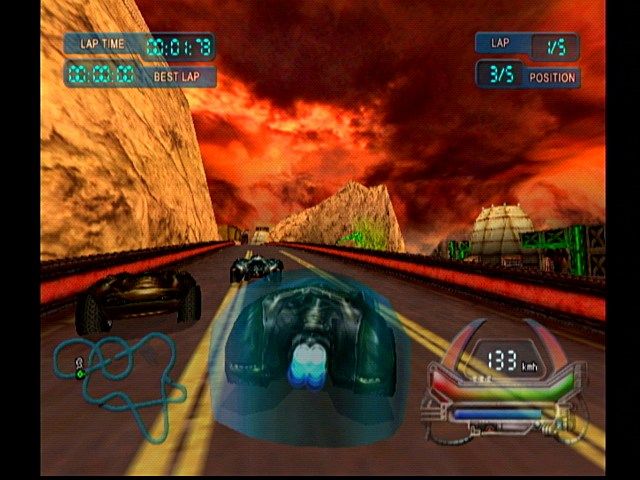
Posted in Classic Games, Dreamcast, Game Boy, Game Boy Advance, Game Boy Color, Game Gear, Gamecube, Genesis, Lists, Modern Games, NES, Nintendo 64, Nintendo DS, Nintendo Wii, PlayStation, PlayStation 2, Playstation Portable, Saturn, Sega CD, Sega Master System, SNES, Turbo CD, TurboGrafx-16, Xbox, Xbox 360 | Tagged , , , , , , , , , , , , , , , , , , , , , , | Leave a comment

BlaZeon (SNES) Review – Challenge the Bio-Cyborgs in one of the Super Nintendo’s best shmups!

I wrote the original version of this review back in ’06, but I’ve enhanced and expanded it for this new posting of the review.  I merged this review with some ideas from my Game Opinions Summary review on the game and some other improvements, to make this new, best-yet version of my thoughts on this great SNES should-be-classic!  I didn’t remove the old scoring system and section breakdown from the review, though.  Maybe I should get back to this style of including categories in reviews, any thoughts?

  • Title: BlaZeon: The Bio-Cyborg Challenge
  • Platform: Super Nintendo (SNES)
  • Developer and Publisher: Atlus
  • Released: 1992
  • Review originally written March 1, 2006, and improved and expanded on for posting here on 10/6/2014.

US box

Gameplay

BlaZeon is a shmup. That is, a shooter, where you take a flying vehicle of some kind and kill things to presumably save your people. The game is usually regarded as average at best, but in my opinion, BlaZeon is a forgotten classic in this genre. Perhaps one reason for the frequent dislike the game gets it its’ very slow pace. BlaZeon is admittedly very, very slow, and sometimes you might spend as much as 45 seconds just watching the background scroll by with nothing to do. Also typical within the genre, the game is short — it just has five levels — but brutally hard. People who dislike hard games will get frustrated by BlaZeon. The game also has minimal options: difficulty level is the only one. There are three difficulty levels, and when you beat one the game loops to the next one. It’s a simple system, but it works. This genre did not become great by being overly complex. It became great because of the high fun factor of the games within it, and BlaZeon is a fine case of that; you can’t help but want to keep playing until you win… and then you want to go through the next loop too. Or at least, I do! BlaZeon has some unique game mechanics, mostly good level designs, an outstanding soundtrack, decently good graphics, and great gameplay. Also, perhaps because of the pacing, BlaZeon has very little slowdown, which is great to see on the SNES. Overall it’s a very good game.

BlaZeon has some interesting game mechanics that help it to stand out from the crowd. Your ship, the Garland, is very weak and has no power-ups as they are normally understood. It is also slow, dies in one hit, and, for armaments, has only one single machine gun in addition to its special weapon: the Tranquilander gun. This special ‘gun’ is more of a missile really, because you can only fire one at a time. The Tranquilander cannon will disable certain enemy ships, called Bio-Cybords, allowing you to take them over. When you take over a Bio-Cyborg, your ship vanishes and you control the Bio-Cyborg you just captured as its replacement instead. You can only have one of these at a time, and if it is destroyed you go back to just your basic ship. Bio-Cyborgs each have their own armaments, but do not have a Tranquilander gun, so you need to go back to base level before taking a different one over. These capturable enemies are the game’s powerups, and this system is interesting. Equally interesting is the fact that many ships have a damage state, so after taking enough damage, they lose some of their weapons. This damage is visual; parts of the ship get shot off, leaving those guns unusable. This goes equally for the enemies and the Bio-Cyborgs you can control. So, if you want that awesome wave gun guy at full power, you’ll have to disable it without accidentally hitting it with your machine gun, for damage done to a Bio-Cyborg will remain after you take it over. You must diable it without shooting it to get it at full strength. As you play, you will learn to recognize the Bio-Cyborgs, and avoid shooting them unless you don’t want that one. Once you are controlling a Bio-Cyborg, do your best to avoid hitting the walls, enemies, or bullets. Bio-Cyborgs may be able to take multiple hits, but after doing so they won’t be at full strength! The more powerful ones are less common, and which ship you’re controlling and its state does carry over from level to level, so keeping them at full strength if possible can be important. The first part, capturing enemies intact, is usually easy, but that second part, avoiding damage can be quite tricky. In addition to enemies and enemy fire you must avoid, the paths you need to navigate through in this game sometimes get very narrow, making that task extremely difficult. The last level, in particular, is full of very tricky to navigate paths that are pretty much the same width as your Bio-Cyborg. Getting through them without taking damage is possible, though, and as a shooter, difficulty is expected, so its presence here is far from problematic. An easy shooter doesn’t usually get played for long.

game 1

In graphics and style, the game seems most influenced by R-Type at first. For instance, like R-Type, BlaZeon is a pattern-based game. Enemies come from the same places in the same patterns every time you play, and your challenge is memorizing it all and learning what to do. The first level could have been in an R-Type game, actually. The level designs get more unique and interesting as the game progresses, however, and the game mechanics differentiate it sharply from R-Type. The levels also get longer, which is welcome because the first level is too short. Also, Atlus has a different concept of cruelty than Irem does. That is, they are more subtle. Instead of beating you down with a constant series of massively difficult challenges, they have long, slow levels with many pauses where you do very little except watch the background, and the average encounter is only of moderate difficulty, though the challenge ramps up significantly later in the game. When you die, though, you get sent back to the last checkpoint, and sometimes these checkpoints are far, FAR apart. Also, when you get a game over by losing three lives, you restart the level. You do have infinite continues, but with levels this long, it’s a significant punishment. In addition, getting an extra life requires so many points you have to beat three levels without getting a game over just in order to meet that number! Crazy. So, while at first the game may not seem too hard, by a few levels in the games’ true level of cruelty slowly presents itself, and the last level is very difficult and frustrating. And the game, of course, has no form of saving, passwords, or cheat codes to skip to the later levels. It is a very difficult game. Oddly, I can’t tell a huge difference between the difficulty levels (more bullets, I guess), but at least your ship changes color.

As is typical in this genre, BlaZeon has a minimal story. In fact, it is 100% contained in the manual. The game itsself is minimalist to the extreme: there is NO story shown or presented in any form within the game. There’s no introduction, no in-mission story segments, and no ending. When you finish level five, you simply restart the game on the next difficulty level. Story is so irrelevant to games in this genre though that I truly do not miss it, though the lack of an ending is kind of unfortunate; the original arcade version of the game does have a fairly basic ending, with credits and the like. They should have kept it in the home console version. Ah well. As far as it goes from the manual though, the story goes like this: the earth created a fleet called the Imperial Earth Army to protect it from interstellar threats. The fleet became corrupt, though, and instituted a dictatorship over the planet. You fight for the resistance using their special protype fighter, the Garland. The ship isn’t in great shape, and this shows in the game with its slowness and weakness, but its Tranquilander gun makes up for that and then some. The game has seven Bio-Cyborg enemy types you can control, and they vary greatly from a small, fast ship to slow, larger ones that have very powerful guns that just fire forward, one with adjustable small guns, and one which fires bombs below it. The variety of the Bio-Cyborgs is one of the games’ strengths. Try them all! My favorites are the two most powerful ones, the mine-laying one that only appears once in the game, and the one with the giant wave gun.

Single Player: BlaZeon has five levels, but the difficulty level ensures that it’ll take a while to finish, particularly on the higher difficulty settings. Most levels have multiple bosses, and some, such as the second and fifth levels, are easily long enough to be at least two levels in another game. The first level is short and too easy, but it picks up after that. Level two is interesting, with the first part in an asteroid field and the second half passing a large fleet. Level three passes over some space platform and is fun too, but the midboss is very frustrating; watch out when it dies, it’s easy to get taken out with it! Level four is my favorite in the game. It has great music, an interesting junkyard setting with a unique and powerful junkbot Bio-Cyborg to control, and cool bosses. Level five is set in a giant space station. As the last level, it is appropriately difficult, and also has perfect music for a final level. As I said this level can be frustrating, and I gave up at trying to beat it sometimes because of how long it takes to replay after a game over late in the level and how hard it is along the way, but stick with it, and eventually you’ll get it down; I did eventually finish this game. Overall you’ll want to replay this game over and over, as is true with any good shooter, so the length isn’t a problem. The pacing may be slow, and the pauses between action points frequent and often long, but have a little patience and there is plenty of fun to be had. Sure, fifteen-second crawls across a screen, only to face three enemies and then wait another ten seconds for anything else to happen are not uncommon, but with music this great, I didn’t mind the pauses in the action.

https://gamefaqs.gamespot.com/a/screen/full/8/2/4/3414824.jpg

Multiplayer

BlaZeon is single player only.

Graphics

BlaZeon’s graphics are strictly average for the Super Nintendo. It’s an arcade port and they do a decent job, but this isn’t one of the system’s graphical showcases, that’s for sure. Multiple levels of parallax scrolling is about all you can look for in nice special effects. Also, as mentioned earlier a lot of the art styles look very, very similar to R-Type’s, though the way that some kinds of ships take visual damage as they get hit is pretty cool. It also definitely isn’t the norm for this genre, particularly in how that damage actually removes some of their armaments. Shoot the top side of that gunship to knock out its top laser, or the bottom side to knock out the bottom one. Having this choice adds strategy. Another positive is that slowdown is kept to a minimum because of the pacing and relative simplicity of the game. The only slowdown happens occasionally when the screen is crowded. These moments are rare. For the most part the game is remarkably slowdown-free compared to many SNES shooters such as Super R-Type, E.D.F., or Gradius III, for instance. Some may say that that is because of how bland the graphics are and because the game’s pacing is far too slow, but those are inaccurate depictions of this game. Super R-Type is almost as slow and just as visually bland, but it’s slowdown-wracked! This game runs better than that one. BlaZeon’s pacing is intentional and works, and the graphics, while not the greatest on the SNES, are varied and interesting. Each level has a very distinct graphical style and many enemies are unique to each one. The backgrounds are also often very detailed and expansive.

Sound/music

The sound is fine. It’s nothing spectacular, but it does its job well. The music, however, is often great. The tracks for level 2 part 2, level 3 part 1, and level 4 are particularly great, I would say. The level four music is the kind of music track that I don’t mind listening to loop over and over and over and over and over as I play the level… the music in this game is great! Addictive and easy to listen to, I found myself sometimes pausing the game just to listen to the music loop. The music is repetitive, of course, but good enough that that doesn’t matter, and that’s about as much as you could possibly hope for from a game in this genre on the SNES.  BlaZeon is in the very top tier of SNES music, no question.

Overall

BlaZeon is a pretty good shooter. It’s slow paced and deliberate, for a nice contrast from fast, “hold the button down the whole time or you die” titles that seem to dominate this genre. I like the style of older shmups better than modern “bullet-hell” ones, so this game is exactly the kind of thing I should love, and I do!  Also, the slow pace gives you more time to appreciate the soundtrack.  The game is also unique, because it has no conventional powerups and instead substitutes an interesting system of being able to take over certain types of enemy ships and control them as your own. This is a very well made game and it’s too bad that it never got a sequel. Also, the fact that the story is truly nonexistent within the game cartridge is actually sort of a good thing; the plot is utterly unoriginal and a clone of the plots of every other shooter ever made, so it really wouldn’t add anything to have it.  It isn’t needed, but it would have been nice if  the end credits had been left in.  Just watch a video of the arcade ending after finishing the game, that solves that problem.  But overall, BlaZeon is far more good than bad.  Look past that and focus on the important part for games like this: the gameplay!  And that gameplay is pretty good and a lot of fun, and is backed up with acceptable visuals and great music.  This is a game I keep going back to, as much for the quite good, somewhat strategic gameplay, and partially for the fantastic music.  BlaZeon is very much recommended, if you can find it!

Gameplay: 9/10
Single Player: 9/10
Multiplayer: N/A
Graphics: 8/10
Sound and music: 10/10

Overall Rating: 92% (not an average), an A.


Videos

BlaZeon longplay: https://www.youtube.com/watch?v=O0_iJ-gI9EE

BlaZeon soundtrack: https://www.youtube.com/watch?v=3OS5pGyG8IA&list=PL5E44AFA2F0850740

Here is the arcade version for comparison: https://www.youtube.com/watch?v=Y3gw4DI_X9s


Posted in Classic Games, Full Reviews, Reviews, SNES | Tagged , , , | Leave a comment

Performance Dual Impact Gamepad (Playstation) Review and Compatibility List – Dual Shock-compatible Gamepad Plus neGcon-to-stick emulation too!

This is a controller review, my only one, but it’s a very interesting controller unlike any other.  I wrote this post early last year, originally, and it needs no real changes (other than fixing images, etc.).  This is a very cool controller I recommend!

  • Performance Dual Impact Gamepad
  • From Performance (a label then used by InterAct, I believe)
  • For Playstation (PS1)
  • Playstation Digital Controller, Dual Analog, and neGcon/wheel compatible
  • Dual Shock (Rumble) motors are present, so rumble is supported as well.
  • Review written 2/10/2013, and posted here 10/2014.

I got a Performance Dual Impact Gamepad, aka “Dual Impact Gamepad Colors”, for the PS1 last year for $6. It’s a pretty interesting gamepad — for the most part it’s just a decent Dual Shock clone, larger and not quite as well made as the real thing but very comfortable to hold due to its size, but it’s got two unique features which make it a quite interesting controller to have.

Dual Impact Gamepad

A Dual Impact Gamepad (not mine)

Mine looks like this, except it’s all grey, instead of being multicolored like that one. The key is that little switch in the lower middle. It’s got three settings. Left to right, they are Digital, Dual Analog, and Wheel (neGcon). This controller does have vibration feedback, and it works in any of the three modes in compatible games. (Note that there’s also Dual Impact 2, which is a PS2 controller, and does not have the neGcon mode. That looks like just your standard PS2 clone pad.)
As for this one though, its unique features are:

-First, there’s a neGcon (wheel) mode, so the controller’s left analog stick works with games that are neGcon but not Dual Analog compatible, such as Wipeout XL or Motor Toon Grand Prix. That’s awesome, it makes Wipeout XL almost feel like a new game! Worth it for that alone. Unfortunately it didn’t work correctly with Hardcore 4X4, which is a game that supposedly supports the neGcon/wheel, but that game plays great with the below mode, so there’s that at least. That’s probably the game’s fault, though, given that Wipeout XL, Motor Toon, etc. correctly recognize the pad as a wheel/neGcon.

One very interesting point here is that the Dual Impact’s neGcon mode IS Vibration compatible. That means that yes, you can play a racing game in neGcon mode on this pad, with rumble. Cool! 🙂 The neGcon and wheels like the Mad Catz wheel do not have vibration, but this does.

Also, after testing it (see the list below), I found that in neGcon mode, the Dual Impact has a smaller deadzone than it does in Dual Analog mode, which means that games like Crash Team Racing and Wipeout 3 control a little bit better in neGcon mode than they do in Dual Analog. I assume that this is because the Dual Shock has a big deadzone (a flaw the Dual Shock 2 and DS3/Sixaxis both share.), but it’s cool that in neGcon mode it’s a better stick.

The only real negative about this mode is that the buttons aren’t labelled for the neGcon’s unique button labels, they’re only labelled as standard PS1 controller buttons, so you just have to memorize that in the wheel mode X is I, Square is II, Circle is A, Triangle is B, L1 or L2 are L, and R1 or R2 are R. It’s not too hard to remember though. I’m sure a real neGcon might be better than this, but those are extremely rare in the US, so I’d have to get it from EBay and pay a whole lot more than I did… and anyway, having an analog gamepad controller that supports neGcon/wheel mode is pretty cool! See the end of the post for a full list of how the game works in my neGcon-compatible games.
-Second, Dual Analog mode. It works as you expect, just like a Dual Shock pretty much. About the only negative versus a real Dual Shock, apart from the build quality/design changes, is that this has older-style small shoulder buttons, not the larger L2/R2 buttons the Dual Shock added. Too bad. Other than that though, works fine.
-And last (well, first, but I’m going backwards), Digital mode. While mostly this is as you’d think — decent (non-missing-center) d-pad and buttons — but interestingly, it’s got more than just that. The controller’s other unique function is that the analog sticks — yes, both of them — emulate the d-pad in digital controller mode. They aren’t analog of course, but still, it’s pretty interesting, and sometimes good, to be able to play dpad-only games with the stick… pretty unique feature, you see that on PC gamepads of course, but I’ve never seen it on any console gamepads… a few special console controllers can do that, such as the Sega Mission Stick for the Saturn and the Sega Sports Pad (trackball) for the Master System, but not gamepads… except for this one.

And yes, some games are more fun with the analog stick acting as a dpad than they are in digital mode. I’d ay that about Hardcore 4×4, for instance; the neGcon mode may be sadly broken, but in Digital mode with the stick, it plays quite nicely.
So, overall, yeah, it’s an interesting controller. I like it. And yes, even if it clearly doesn’t feel as well built as a first-party controller is, it’s not too fragile-feeling, and is comfortable to hold, more so than Sony controllers are for me — I find the Playstation controller too small. The only thing it doesn’t have is Dual Analog Joystick support — you know, the full-sized, twin-stick joystick for the PS1, (Yes, there are some games that only have analog with that; the Sony Dual Analog Gamepad has a mode supporting it, but no other gamepad I know of for the system does that.) — but apart from that it’s got everything else. In the end the Dual Impact is a good gamepad that I’m happy I got, mostly for Wipeout XL (It’s SO much better now! Sure I have the wheel, but that’s useless for this game.), but also for some other games too, and for the “analog stick usable in dpad-only games” thing too. Interesting stuff.

Dual Impact/neGcon Compatibility List

There are(definitely incomplete) lists of negCon compatible games here:
http://www.rolling-start.com/forum/viewtopic.php?f=14&t=26 and here
http://www.mobygames.com/attribute/sheet/attributeId,876/offset,0/so,0a/
Of those, I list below my results when using the games I have with this controller. Note: I mean US releases of the games, not other ones. Also I would only care about games with twist support, of course; if it’s just a “it uses the negcon but just the dpad”, it’s the same as it’d be with a regular controller.

Games with no Dual Shock support

Destruction Derby – Works fine.

Motor Toon Grand Prix – Works perfectly. Good controls this way, the game has no Dual Shock support.

Namco Museum Vol. 1 and Vol. 3 (in Pole Position and Pole Position II) – Works okay, though an actual wheel is better because of the much greater degree of motion — with the Dual Impact, make VERY small movements if you want to not crash.

Ridge Racer Turbo (on R4 Bonus Disc) – Unfortunately, the Dual Impact doesn’t work ingame with this game; the menus work, but it doesn’t recognize it once you start playing. To get analog here, you need to use either a real neGcon, or a wheel like the Mad Catz wheel (the game does not have Dual Shock support).

TNN Motorsports Hardcore 4×4 – While my Mad Catz wheel works fine, so the game does have neGcon support, it doesn’t work with this controller sadly — left and right both turn you in lefthand circles, you can’t go right.

Wipeout XL – Works perfectly, and is fantastic. This game doesn’t have Dual Shock support, so something analog for it is essential! And an actual wheel is far too wide a turning radius for something like Wipeout; that may be better for car-racing games like Pole Position or Destruction Derby, but in a Wipeout game, you really want a stick like this one.

I can’t find my copy of the original Wipeout, so I can’t test that one. 🙁

Games with Dual Shock support (you may think that this would be identical to Dual Analog mode, but — it’s not! neGcon mode has a smaller deadzone than Dual Analog mode, so it makes it more precise than Dual Analog mode is in games that work with both. It’s pretty cool, though this is more noticeable in some games than others, it’s great!)

Atari Anniversary Edition Redux – Called “Wheel” mode ingame, this works for analog in paddle games like Warlords, Pong, and Super Breakout. Works fine.
Crash Team Racing – Works correctly in neGcon mode. Smaller deadzone is noticeable.
R4: Ridge Racer Type 4 – As with the RR Turbo Disc, it works in the menus, but not ingame. Bah!
Rollcage – Works correctly in neGcon mode. You can tell that the deadzone is smaller.
San Francisco Rush – Works correctly in neGcon mode.
Wipeout 3 – Works correctly in negCon mode. Smaller deadzone is noticeable.
Test Drive 4 – Works correctly in neGcon mode. This is awesome, because in Dual Analog mode, the game requires you to use the right stick to accelerate/brake, and the left stick to move. I hate this control scheme, I want button acceleration/braking. You get that in neGcon mode. Awesome. 🙂
The Italian Job – Works correctly in neGcon mode.

etc., I’m not going to test every single driving game I have right now, though I may add to this list in the future as I test more games.

I do know some which definitely don’t have neGcon support, though: Street Racer, JetMoto, and Dare Devil Derby 3D are digital-only for sure. Too bad. (JetMoto does have analog support in the PC version, but not on PS1.)

There are also some games that support the Dual Analog controller, but not the neGcon/wheel, such as JetMoto 2, Road Rash 3D, Driver, and plenty more.

Posted in Classic Games, Dual Impact Gamepad, Hardware, Lists, neGcon, Non-Console Hardware (Controllers, etc.), PlayStation, Reviews | Tagged , , , , , , , , , | 2 Comments

Hihou Densetsu: Chris no Bouken (Turbo CD) – A Weird and Flawed, but Decent, Platformer

I wrote this this January.  Somehow I thought I’d posted it here, but somehow I hadn’t.  Problem corrected!  I made some minor tweaks and improvements to the article, but little was changed; it is fairly recent.  I covered this game in short in the Turbo CD Game Opinion Summaries list, but this review is much longer and more thorough.  Also it came after finishing the game, something I did between writing the two.

  • Title: Hihou Densetsu: Chris no Bouken [Legendary Treasure: Chris’s Adventure would probably be the English translation, if it had an official one]
  • Platform: TurboGrafx-CD [PC Engine CD]
  • Standard CD title, not Super CD or Arcade CD.
  • Developer: Arc Co. Ltd. [now known as Arc System Works]
  • Publisher: Pack-in Video
  • Released: 12/13/1991 (Japan-only release)
  • Review written January 2014, and posted here September 30, 2014.
title

The title screen!  It’s got a great look, I love maps.  It has good music, too.

Hihou Densetsu: Chris no Bouken is a decent 2d platformer for the Turbo CD.  The games’ title in English would probably be Legendary Treasure: Chris’s Adventure, though though there is no official English title; all in-game and manual title and character name text is in Japanese. The game is a fairly average, but decent (at times) platformer from Arc Co. Ltd, now known as Arc System Works. A somewhat obscure but not expensive game, this is one of a few Turbo CD games by Arc; I have three, including this, Minesweeper (yes, a port of the Microsoft PC game), and the super-easy racing game Road Spirits. Anyway, in Hihou Densetsu, you play as Chris Steiner, a girl who is looking for her father, an archaeologist.  Her father went missing in the Americas somewhere while searching for the ancient legendary treasure of the Indio (native) people of Latin America somewhere. Naturally, ancient aliens and Atlantis end up being involved. Of course. Also, sadly, there’s plenty of incidental racism in this game, as is usual in such stories — the Indio, if they are indeed alive, are just villains and never appear in any cutscenes past the backstory bit at the beginning of the intro, unless you count the two Atlanteans, but they really are different. The story is confusing and unfinished, but the gameplay was decent enough to keep me going. This game has some bad, probably unfinished elements, but I enjoy it overall despite them.

This webpage has a great summary of the game: http://www.chrismcovell.com/games_illustrated/arc-hihou_densetsu.html The page has a nice summary of the game, but despite its flaws I did enjoy it… though that is hard sometimes because of how frustrating it is. Hihou Densetsu isn’t all that long of a game, but they try to make up for that by making the game hard and annoying. There are some tough jumps, tight time limits, and annoying enemy placements in this game. It’s doable though, with effort. You really need to memorize everything in order to get through. I covered this game in my TCD “Game Opinion Summaries” thread, but this writeup is new, since I’ve beaten the game now and have more to say. Hihou Densetsu is a memorization-focused platformer with a confusing story. On that note, if anyone knows Japanese and can watch the LP and tell me if knowing Japanese would make the story make any more sense, that would be much appreciated.

game 1

The cave level here, level 4, looks nice.

Gameplay

Hihou Densetsu is broken up into eight levels, probably the most common number in videogames. Each level has two stages, with a boss at the end of the second stage of each level. You have a strict timer in this game, so you must keep moving if you want to beat each stage without running out of time and dying; I’ve died from time over within sight of the end of a level more than a few times. I like the “day” theme the timer uses, though — you have a set number of “days” to finish each level, and there’s a graphic in the bottom right showing the day and time. These days are a lot less than a day long, but still it’s a somewhat clever way to make a timer more interesting looking. If you die you start from the beginning of the stage you’re on. Enemies and traps always appear from the same places, so yes, memorization is what you do here: keep playing until you’ve memorized the level layouts and boss patterns, then you can win. This isn’t the hardest game, but it’s a reasonable challenge at times. Sometimes you get sent back to the main menu and have to restart the level from stage 1, though I’m not entirely sure why. Maybe it has something to do with if you got enough coin pickups? I’m not sure. You cannot save your progress, which is the worst thing about this game, gameplay-wise. Seriously, one block to save that level-select menu as you unlock stages, that’s all I’m asking for… having to play it all in one sitting, or without turning the system off, is annoying.

The second most annoying thing is the weapon powerup system. Now, there are several kinds of pickups in this game, all of which drop from either enemies or the pillars which come out of the ground at certain points and may have items in them. All items are random drops, and none are in preplanned locations. Those pillars often drop nothing, for instance, or maybe something you don’t need. They can drop those coins I mentioned earlier, hearts to refill one of your five hit points, weapon powerup orbs, or nothing. This design decision was a big mistake! Chris’s default weapon is a pathetically weak knife with a two-millimeter attack range. Hitting enemies without getting hit yourself, without a powerup, is often unlikely. If you want to beat this game without too much trouble, try to never die! If you do die, you’ll need to find two differently colored orbs in order to get a stronger weapon, and they must be different colors, too. If you pick up one the same color as the one you currently have, it won’t count at all. There are three powered-up weapons: Red+Yellow is a stronger close-range attack, Red+Blue is a throwing knife (best weapon), and Yellow+Blue is a boomerang. The default weapon is so hard to hit things with without taking damage that in the later levels I found myself not caring about if I died with my first and even second life of each continue, since all that really mattered was getting a decent weapon so that the next time I could attempt to actually beat the level. I died quite a few times because the game was refusing to give me two differently-colored powerup orbs in later levels. Yes, it’s frustrating. And while you do keep powerup weapons between levels, thankfully, if you get a game over of course it’s back to square one.

game 2

The surprisingly simple mine-cart segment.

As far as the level designs go, Hihou Densetsu has virtually no exploration. This game is entirely linear, and you need to keep moving in order to finish levels before the tight time limits run out. I’m alright with that — not all sidescrollers need to have you going around collecting things during your adventure — but it does reduce replay value and make the game shorter. Only one stage’s layout is at all mazelike, and that level, 4-2, is a small, simple ‘maze’. Ah well, I don’t really mind. The level designs in this game are straighforward, but I thought they were okay. You do do a lot of walking to the right or left while attacking enemies as they appear, but there is just enough variety to keep things interesting. Most stages have at least one unique level element, such as various types of platforms you have to jump on, tricky jumps on moving objects, a surprisingly easy mine-cart segment, orbs you shoot to move them out of the way, and more. And once again, thanks to the weapon powerup system the game gets much harder if you die, and you will until you’ve memorized the game. Stage 5-2 probably took me the longest amount of time to beat; it may look simple in that LP, but that second moving-orbs jump is quite tricky, and if you don’t have the throwing knife the stone circle enemies are hard to hit and shoot fire at you. I finally managed to beat the stage, though it took a while. The last stage, 8-2, was tricky too, but in a fun way. That’s a short level, but reasonably fun. It is kind of weird looking, though, and the organ-style music is a strange choice. The later levels have somewhat odd visual/audio themes. Seriously, from levels six through eight this game got weirder and weirder… and yet there’s very little to no reaction from Chris like that in the cutscenes. Maybe there is in Japanese, but shouldn’t she say something obvious about how this trip to the Americas to look for her father has turned into a battle against an ancient-alien Atlantean demigod or something in his spaceship hidden under a Latin American jungle temple?? I guess she’s slightly surprised when she first sees Fillia, but not much obvious about the crazy adventure. No, just some fairly calm conversations with Fillia, after the drama with the traitor guy got resolved after level 5. She’s tough. Or maybe it’s just that she probably can’t hear the awesome, and sometimes strange, music? But those blob-monster enemies in level 6 and the like are weird looking too…

Cutscene 1

Cutscene (before lv. 3). Chris and the kid explore.

Graphics and sound

This is a CD game, so it’s got CD audio and cutscenes between each level, as you might hope for. The cutscenes are done with very limited animation, but the audio track and art design are decent to good. Environments look particularly good, which characters look only okay. The in-game graphics are similar, with good backgrounds but somewhat bland character sprites. Chris’s sprite has a bland, androgynous look; it’s okay though. I couldn’t tell for sure that she was a girl until I played it and heard the voice acting, but she is. The shirt and shorts adventurer outfit seen in the game is the only one she wears throughout the game, too — so yes, this is a game with a female lead which doesn’t sexualize her at all! That’s worth some praise, though they aren’t consistent with her design — her shirt is blue ingame, but white in cutscenes. Also her sprite is always holding a knife, no matter which of the weapons she has. Ah well. Enemy sprites are mixed, with some cool looking ones and some very bland. The climbing skeletons in the first level are interesting, and I like the art design in some of the caves and alien base levels too. Hihou Densetsu has somewhat simple graphics and makes almost no attempts at parallax, except for stages 5-1 and a few clouds behind a window in 7-1, so it looks like a Turbografx game for sure, but it’s a decent-looking Turbografx game. This game clearly didn’t have the largest budget, but they did a decent job with what they had.

The music is even better. This game really has a great soundtrack overall. It’s all at least good, and it peaks in level seven; that track is fantastic. Even though the graphics are not complex, with simple and repetitive environments within each stage, the visuals and sound together combined to make the last three levels seem kind of weird, as I traveled through the alien/Atlantean/whatever spaceship and the like. The creepy atmosphere in those levels really worked for me! It’s really unfortunate that level 7-2 is the easiest level in the game after 1-1, and that the level 7 boss is the only one I beat without dying at even once, because that music is great, and might be the best in the game. Some other levels’ music is almost as good too, such as level 6’s, but 7 has the best one. I’ll have to listen to this soundtrack sometimes for sure. Watch the LP linked at the bottom if you want to listen to the whole soundtrack.

Game 3

Weird monsters here in level 6…

Story

Hihou Densetsu’s story feels incomplete, since some things just weren’t explained at all. Sure, it’s all in Japanese so I can’t understand most of what they are saying, but even beyond that, a lot of stuff just isn’t explained and don’t make sense in both story and game design alike. Here are a few examples of the games’ story and design flaws that are important and I don’t have to spoiler.

– According to Chris Covell’s article on the game I linked earlier, the manual spoils almost every major plot point in the game in the character descriptions section. I can’t read Japanese, but I’ll take him at his word there. What a bizarre manual design decision!  Who would do that?

-Also, as that page mentions, the story’s connection between Atlantis, South/Central American Indians, and ancient aliens is tenuous at best. This is something that I’m sure being able to understand the dialog would help a lot, but it wouldn’t explain everything. This is one of those games where the story and gameplay don’t really line up, and the results are kind of dumb when you think about them. I understand the basic idea — the Crystal Skull myth is a popular one, and this games’ story is the same basic concept that’s behind Indiana Jones and the Kingdom of the Crystal Skull, but this story isn’t nearly as coherent as that one. Cutscenes feel incomplete, as I’ve explained above; the story is disjointed; and not much is adequately explained. I wouldn’t be surprised if the story and cutscenes in this game weren’t really finished yet when it was shipped.

– As I said in the above point, this game has some pretty serious discrepancies between its gameplay and its cutscenes. Other than the final boss, no other enemy you fight in the actual levels — not one! — ever appears in a single cutscene. As far as the story goes, most of the game could have never happened at all! And what the heck is up with all the Indian (“Indio” as the game says) enemies, anyway? It’s clearly somewhat racist, in that classic adventure story way, and that’s a problem for a game from 1991. But it’s not only racist, it’s weird because none of them ever get a mention in the cutscenes. The Indians breathing fire, the several native bosses, etc. I guess the Indio people are protecting the Atlanteans still, or something, but they aren’t important enough to actually mention in the cutscenes… are they even alive, or are they spirits or something? Either way it’s still racist; though I know this kind of story generally is like that, they could have done more than they did. None of the crystal robots, zombies, blob monsters, or any of the other things you fight appear in cutscenes either, but it makes even less sense with the “human” enemies.

Warning: major spoilers below! For anyone who actually cares, stop reading. Images below are just links in order to not spoil anything.  Highlight the text below in order to read it.

http://img.gamefaqs.net/screens/0/2/c/gfs_4963_2_14.jpg – The real villain is revealed!

The Characters: I’ll start with character and basic plot descriptions, and mention some of the problems as well.  First, Chris Steiner is the main character. She’s okay. Her father (I forget his name) is the missing guy she’s looking for. The local kid (forget his name too) is someone she runs across who apparently just happened to know her father and had a vitally important thing he was looking for. Altmeier, the bearded guy, is her father’s “friend”, but he’s actually ‘a leading member of the neo-Nazis’ and betrays them of course, though it doesn’t lead to much gameplay-wise (since he never appears in-game, only in cutscenes). Fillia is an ancient Atlantean and maybe also a demigoddess or alien or something. When high-tech Atlantis fell thousands of years ago, somehow her and her brother survived in spirit. Then this spaceship or whatever it is was hidden under a pyramid in the Americas somewhere, until it was found during the events in the game. I’m not sure about the rest of Fillia and her brother’s plot, though; I don’t know the details, I’d need to know more about what the plot of this game is to get that, and I can’t figure that out just from context or that page I linked above. Her brother is the real main villain, and is also the final boss. I guess he couldn’t get over Atlantis’s fall, or something, and is taking it out on the people who found them. Maybe he wants revenge on the world? Seems likely, that would fit the angry-villain stereotype he’s mostly acting out. I don’t know, I’d need the context from someone who understands the language better. He’s the only person in the story other than Chris herself who ever actually appears ingame during a level.

https://gamefaqs.gamespot.com/a/screen/full/1/0/1/195101.jpg Fillia  is also the character on the level-select screen. (Remember, turn off the power and you lose access to anything beyond level 1, this game doesn’t save your progress, you just have infinite continues.)

http://img.gamefaqs.net/screens/3/4/c/gfs_4963_2_16.jpg The Atlanteans’ spaceship, which is thousands of years old but naturally still works perfectly.

Cover

The cover shows Chris with several other characters from the game.

Issues with the Plot: Here are some of the confusing or under-explained elements in the plot. Yes, there are quite a few for a short game!

– First, I already mentioned above about how almost all of the enemies you actually fight in the game are unmentioned in the cutscenes, so I won’t repeat myself further, but this is a definite problem.

– The game has a cutscene at the beginning and end and between each level, but the cutscene before level 7 is about five seconds long and is wordless. Seems pretty lazy, compared to all of the other cutscenes in the game. Sure, it establishes that they’re going to the Atlantean base (yes, the Atlanteans and their stuff is the “legendary treasure” of the title), but other cutscenes have that much, and a lot more besides.

– In the cutscene before level 2, Chris meets a kid (a boy I think?) who just happens to know who her father is. The kid even has the Eye, an ancient (Atlantean!)  artifact which will get them into the temple from where they can access the place her father was last seen, or something like that. How her father got in there is not explained.  There’s one problem!  The kid himself is even worse.  Seriously, I know stories often rely on coincidence, but this kid she runs into doesn’t only just happen to know who her father is, he(?) also has the Eye that her father had been searching for for 18 years; no, I don’t think even in Japanese this is explained. He just has it, don’t ask why. The person who wrote the article I linked earlier sure missed it if it was, anyway, and he knows at least some Japanese. If this is explained — like, maybe her father found it and gave it to the kid after he went into the temple or something — it isn’t explained well enough for it to actually be understandable. If it isn’t explained, seriously, why in the world did that kid have the Eye??

– The story also never bothers to actually show when Chris meets her father. You’d think that that would be an important moment, but while the game shows Chris meeting the kid in the before-level 2 cutscene, meeting Altmeier in the before-lv. 3 cutscene, and then the three of them using the Eye to get into the Atlantean area in the before-lv. 4 cutscene. The next cutscene, before level 5, is all about Fillia’s appearance (with an orb, which is a powerful Atlantean artifact connected to the Eye). She appears, says who she is, and seems to figure out that Altmeier is lying to them and is actually evil (and, apparently, a neo-Nazi, though this isn’t made clear in pictures) — the orb she has marks him. Then I think he says something about ‘if you want to see your father again give me the orb’. Then in the next cutscene before level 6, Altmeier is threatening Chris’s father with his gun. Uh… where did he come from? If Altmeier was hiding him nearby… how? Altmeier only just got into the temple, after all, and couldn’t have gotten in on his own since you need the Eye to do that. Maybe her father was hidden outside somewhere nearby, but the game didn’t bother to show it? Man, is this story so unfinished! Something like that must be what happened, but really they should have shown an image of her father before the before-lv. 6 cutscene if that is what happened. At the end of the lv. 5 cutscene would have been the right time.
– Continuing the theme of ignoring the side characters, after the cutscene before level 6, the local kid and Chris’s father only appear again for one very short scene, and otherwise vanish without explanation.  Her father, the main reason for the quest, barely ever says anything, only appears in two of the games’ nine cutscenes, and the second of those, in the cutscene before level 8, is a second-long appearance, cameo-level, showing that he and the kid are alive. I presume they escape at the end, but none of that is mentioned.  Neither one appears at all in the games’ short and lacking ending, either. Yeah.

– A for the woman on the level-select screen, Fillia, she is a major character and does appear extensively in the later cutscenes, but her design is a blatant ripoff of the goddess from the Ys title image. She’s basically the same design, with minor changes. Lazy artists… and pandering, given Ys’s popularity on the TCD at the time.

– More on ignoring side characters — Altmeier is revealed as evil late in the before-lv. 5 cutscene, and then is killed in the before-lv. 6 cutscene. He threatens her father, takes the orb, shoots her father anyway (though not fatally)… and then Fillia’s brother (that they are related is supposed to be a spoiler the before-lv. 8 cutscene reveals, but it’s one more of the things that the manual apparently spoils.) appears and kills Altmeier. Yeah, the guy makes a strong first impression. Of course Fillia’s brother turns out to be an even bigger threat, but killing off a seemingly important villain in a cutscene and not having you fight them is kind of an odd design decision. Other than the last boss, the bosses and enemies in this game are all the completely random foes I’ve mentioned, including various Indians or Indian spirits or something, spiders, skeletons, statues, and the like. Here’s an opportunity for a more relevant boss enemy, and the game passes.  Unfortunate.

– The ending also is badly rushed and lacking.  I mentioned some of this above, but in more detail, as Chris Covell’s review says, the game never really explains why Fillia’s brother, the main villain, dies, and the ending is short and badly rushed. The end cutscene shows how Chris and Fillia look almost the same, apart from their hair. Maybe it’s implying that Chris is some long descendant of whatever Fillia and her brother are (Atlanteans, aliens, demigods, whatever) and that her being here is not a coincidence? Or maybe it’s just that they are similar, I don’t know. Anyway, Fillia’s brother is still angry, and tries to attack Chris. Fillia protects Chris, and then the brother dissolves or fades away without explanation. So, maybe Fillia kills her brother to protect Chris? But if she did that, then why didn’t she kill Altmeier after revealing his evil? Yeah, he said something about Chris’s father, and demanded the orb in return for him, but still, if she had that kind of power, she must have been able to do something then, but didn’t. Or, alternately, maybe Fillia’s brother died slowly from wounds Chris inflicted during the final boss fight or something? That seems unlikely, but it doesn’t show Fillia attack him either. But I (and Covell’s article) covered that one already. After that, Fillia and the Atlantean spaceship fade away too, as I described, and that’s pretty much it. All that happens after that are two shots of Chris, standing nearby and then finally a shot of Chris sitting in a tree, remembering her adventure. Roll credits. Uh… what? That sure ended in a hurry.

https://gamefaqs.gamespot.com/a/screen/full/1/0/6/195106.jpg – Here’s the ending shot, as described above.

Game 4

This temple level has just about the only exploration segment in the game, and it’s very simple. Decent level, though.

Conclusion

Yeah, that’s way too much written about this games’ simple little plot. I rarely care much about story in games, after all. I wrote it though, so I’m posting it! :p

Overall, Hihou Densetsu: Chris no Bouken is a moderately fun, and also frustrating, action-platformer game. The game has decent graphics, good music, simple gameplay, and some fun action. The story has to be unfinished, but it’s a decent classic-style adventure story despite that, and it’s one with a female protagonist too. Hihou Densetsu isn’t a good game, it’s too flawed for that in both gameplay and story, but it is an okay one. I can understand why this game is apparently disliked by the few who know of it, because the game is flawed, annoying, and unfinished, but I enjoyed it anyway, overall. The soundtrack is the greatest strength here, the music is top tier. I think the game was worth playing for sure, and it might be worth a look for platformer fans. The Turbo CD doesn’t have a particularly large selection of platformers beyond the Valis games and Castlevania Rondo of Blood, so for platformer fans with the system, definitely give the game a look despite its flaws! As for a grade… hmm, I don’t know, B or C something.  I’m an easy grader on average platformers if I enjoy them at all, I guess… B-.  It probably should be a C+ though.  Way too many flaws.

Video
direct link: https://www.youtube.com/watch?v=P5lwTRvAVig

Posted in Classic Games, Full Reviews, Reviews, Turbo CD | Tagged , , , , | Leave a comment

Review: Frogger 2 (Game Boy Color) – Maybe Even Better than the Console Version?

Sorry for the delay between posts.  I should have had something sooner, there are some more old reviews to post before I move on to posting up those often incomplete lists of mine.  As for this game, it’s a pretty good one.  Despite the similar title, this is entirely different from the other “Frogger 2” games out there.  The only additions to this version of the review are a minor tweaks, a new first paragraph, and the addition of a score.

  • Title: Frogger 2
  • Developer: Morning Star Media
  • Publisher: Hasbro Interactive
  • Released: Sept. 23, 2000 (US exclusive release)
  • Review originally written on 2/25/2012, and updated for reposting on 9/26/2014.
title

The title screen

After the success of their first new Frogger game for PC and Playstation in 1998, Hasbro started work on a sequel.  It’s a good game, and I reviewed it recently.  This time, however, in addition to the console game, Hasbro also got the handheld rights to the license.  This game, Frogger 2 for Game Boy Color, was the result.  The developer, Morning Star Multimedia, was a somewhat short-lived studio that mostly made mediocre licensed games.  They also did Hasbro’s extremely limited and disappointing GBC version of Pong: The Next Level, and the quite average original Frogger for GB/C dual-mode as well, published by Majesco in that case.  Frogger 2 is a lot better than most any of their other games, though, and I genuinely like it.  It’s also an original title, and not just a port like Frogger (GB/C) is.  Yes, Frogger for GB/C is a port of the arcade original, while Frogger 2 is an original game; it’s a little confusing, but it’s great this game happened.  Frogger 2 is a very simple game, and if you don’t like Frogger games there’s nothing here for you, but anyone who does enjoy Frogger’s style of tile-based avoidance action/platforming as I do, it’s decently fun stuff.

I got this game in 2011, after playing through the Dreamcast title above. I found a copy and, because the console title was good, though it the handheld one might be worth checking out as well. Well, simply, it was. Frogger 2 for GBC is a great, addictive, and challenging game that I loved. It hooked me and kept me coming back until I finished it, and even though it might not take as long to finish thanks to the small number of screens in each level, I’d probably rank it just as high as the DC game overall. It was that good.

Additionally, I want to say thank you to Hasbro for putting a battery in this title. So many second-tier handheld ports that generation had password-only saving, but Hasbro paid out the extra cash for a battery, and it really makes a difference — you won’t need passwords, and it will save your best times and whether you’ve gotten all the stuff in each level as well.  Pong: The Next Level for GBC barely even has any levels (it has like three), never mind a battery!  More effort went into this one.

level start screen

Each stage has a short description.

Frogger 2 –there is no subtitle on the GBC — is a fun, but challenging, game. In the game, you control Frogger or Lily Frog in their quest to rescue all of the kidnapped baby frogs. There’s no main villain in this version, only babies to rescue at the end of each world, and they aren’t really collectables here; instead, gems are. Also, the two frogs aren’t just identical, they swap out on the pause menu — you can change from green to pink by pausing and then hitting select to switch. Cutscenes are minimized here; there are a few static-screen images, and text boxes when you talk to the helper frog who gives you hints along the way (oh, do read them, they can be amusing) and at the beginning and end of the game, but this is a game you play more for the journey than for a great ending. Of course, as it’s on 8-bit hardware, it fits in quite nicely in that regard. The graphics and sound are okay, but nothing special. It looks a lot like a NES game. It looks good enough, and the style works. Each world has a different theme as well.  I like the variety of the settings.

The game plays largely vertically, and are all similar in length. Each stage’s playfield is about two screens wide by five or so screens high. There are 32 stages in the game; that may be twice as many levels as the console game, but with how many fewer screens each one is made up of, it’s certainly the smaller title. Don’t make the mistake of thinking that smaller is lesser, though!  While its 3d counterpart Swampy’s Revenge is a quality classic remake, GBC Frogger 2 is even more traditional. In standard levels, the goal is to reach the exit at the top of the stage. In stages where you rescue a baby frog, though, you will have to go back to the beginning of the stage after collecting it, instead of the stage ending at the top. These reverse sections definitely are interesting. Also, each stage has 16 gems in it to collect. The game records if you’ve gotten all 16 in each stage in the stage select screen, the “play single level” option at the main menu, so you can go back after you beat levels to get gems you may have missed. The main game rewards you for getting all the gems in a stage by refilling your time after you get the last one. The later worlds, like the ice world or the final stage, are challenging and tricky. I died many times before figuring them out. That certainly made it more rewarding once I did, though! This game’s fun hard — it was challenging enough to be frustrating, but not so much so that I wanted to give up for good or make victory near-impossible. The game kept things fun to the end, and the difficulty level is just right.

ingame 1

Level one is reminiscent of the original game.

Several things make this game challenging, despite the short stages. First, there’s no health bar like on the console version; instead, one hit kills you and sends you back to the last checkpoint. The last set of levels don’t have any checkpoints, so dying sends you back to the beginning of the level for those. Second, it is impossible to attack the enemies in any way; you will simply need to avoid them. They all follow specific patterns, but still, it’s easy to slip up and get killed. Third, you have a time limit. I rarely ran out of time, but you do need to pay some attention to it or you might die. And last, deadly hazards and pits abound everywhere, and you will often need perfect precision to not die; one instant too late and you’ll fall into the pit instead of making the jump onto that next mine-car in the last area. And with death awaiting you if the car you’re on goes off screen, you’d better hurry, and have planned your moves ahead by watching the pattern. Also, this game does not save after every level. Instead, you’ll need to beat three or four levels before your progress is saved. This definitely increases the difficulty, as I often found myself playing the same levels over and over because I was dying at a harder stage farther on. I didn’t really mind, though; while limited saving like this is often annoying, in this case I think it works just fine. It increases the difficulty nicely and provides for a solid challenge, but it’s not impossible; you can still win, you just need to play better next time. There are precious extra lives scattered around the levels, though, so look for them.


And that really is what this game is about: pattern recognition and split-second timing. Sure, the game starts out somewhat easy, but it gets much harder later on.  I felt that the main game went by far too quickly, probably because of how much I was enjoying it, though.  There are some things to do once you’ve beaten it, though.  The game has awards to win for several accomplishments in each stage.  You can go back and try to get all the crystals in each level, try for the best times, and try to beat levels without dying even once.  The game keeps track of each of these three accomplishments on the stage select screen, with a gem for stages you got all the gems in, a trophy for ones you got a best time in, and a gold-colored gem or trophy for ones you beat without dying.  This adds some nice replay value to the game.  You don’t need to do all of these things at once, fortunately, so you can upgrade the trophy in each stage through doing one objective each time. Those times would be nearly impossible to get if you were trying to get all the gems anyway, so that’s nice. It is kind of too bad that the original Frogger wasn’t included, but of course, that did have its own GB/C release, so it’s understandable. It is too bad that there’s no mode where you have to get five frogs across a stage to goals, though; I know it’s already retro-styled, but where’s the equivalent of Swampy’s Revenge’s Super Retro mode? 🙂

The levels get more varied settings later on; this is just the start.

Overall, Frogger 2 for GBC impressed me. It’s a simple and straightforward game, and it’s fun.  It works very well: just collect the gems and get to the goal, avoiding the hazards along the way. Anyone who likes Frogger games should absolutely play this. It’s clearly much lower budget than the major-console title, with average graphics and a mediocre ending, but the great level designs and good gameplay carry it and make it a good, fun challenge that I really enjoyed playing. This is not a well known game, and it got some mixed reviews, but if you like Frogger at all, I think that it’d be hard not to like this. The only real issue is that you’ll want even more stages to find your way through. 🙂 Go back and try to collect all the gold trophies instead… that’ll probably take a decent while.  Overall, I give it a B, maybe even a B+.  I’ll go with a B+ because while I liked Swampy’s Revenge, I think I had even more fun with this game.
So yeah, both of Hasbro’s Frogger 2 games are pretty fun, challenging arcade-style platform/action games. Maybe check them out. 🙂 They are a bit on the short side, challenge aside, but I at least found them fun enough while they lasted to be well worth the play, and there is at least some replay value to try to improve your runs.

Oh… and lastly, yes, it is pretty bizarre that Frogger is a frog who can’t swim. 🙂

Posted in Classic Games, Game Boy Color | Tagged , , , , , | Leave a comment

Donkey Kong Country (Game Boy Color) Review – A Fantastic Port of a Great Classic!

I wrote the original version of this review in 2011. Great game, I love it. I added some bits to the review here and there, but most of it is the original text.

  • Title: Donkey Kong Country
  • Released: 2000 (worldwide)
  • Publisher: Nintendo
  • Developer: Rare
  • Review Written 2/14/2011; Expanded for posting on this site on 9/21/2014.

Review

Donkey Kong Country, originally for the Super Nintendo, was ported to the Game Boy Color by Rare in 2000. The game is a port of the SNES original, with a few changes and level design alterations to fit the different aspect ratio, and with a new menu system and added minigames. It’s also an impressive port of one of the great classic platformers. The game is a GBC-only release (not backwards compatible with the original GB). This is a great platformer, and somewhat under-rated I think, now, thanks to Rare’s misguided critics who go back and bash most of their games, and the fact that it can’t be equal to the SNES original. I played this game expecting it to be not that great, because of how big of a downgrade from the SNES it is due to the limited hardware, but GBC DKS is fantastic! Of the SNES-to-GBC ports, this is probably the best one; it turned out much, much better than either Mega Man Xtreme game did. Great work, Rare.

world map

The island

(As an aside, on the SNES, I actually like each DKC game more than the one before it. 3 is my favorite. Still though, the original is an incredible game, deserving of the the praise and great success it received.)

I managed to complete GBC DKC a day before writing the original version of this review in 2011, and whew, this was a tough game. Sure, it didn’t take years and years like some games do, such as a replay of Zelda: Oracle of Seasons that I played for years on and off before finally finishing in 2011, but GBC DKC did take months to complete. I started playing this game shortly after buying it, and it took quite a while to finish because DKC is a hard game, just like the SNES original is. This is a fantastic port of a great, great game.

Graphically, the GBC version of DKC really is quite impressive. Visually it looks a lot like the GB Donkey Kong Land games, except with color and perhaps some other visual improvements. I wouldn’t be surprised if this is running on an upgraded version of the DKL engine. The color adds a lot, so as good as the DKL games looked, this looks better. Because they can make things different colors, the GBC version has none of the problems the DKL games had with having trouble telling sprites from backgrounds. There is slowdown, sometimes in areas with more than a few enemies, but I don’t think it hurts the game much. The game obviously doesn’t have the detail and graphics quality of the Super Nintendo, but considering the system it’s on they did an outstanding job. They even used the static screen high color mode for the intro, ending, and game over screens, which makes them look nicer. Overall I think the game looks and plays very, very well. It’s better than I would have expected DKC to look on the GBC, this game impressed me visually. For the system, it looks about as good as it possibly could. Few GBC games look this great.

cinema

The game has nice looking cinema scenes

The music is good. Obviously it’s not SNES quality, but the music is good GB remakes of the classic SNES songs, and sounds pretty great for the system. They did remove the voice sound effects, though, in favor of standard beeps and such. That’s too bad, the GBC is capable of speech., as Bionic Commando: Elite Forces shows. I guess they wanted to save on cartridge size. Oh well. The music makes up for that, though! Rare always had good musicians, and they get a good amount out of the Game Boy Color here.

GBC DKC’s level designs are great. Levels are all redone versions of the original Super Nintendo levels. The first DKC is a simple game, as your goal is usually just to go right until you finish the level, but the controls are fantastic, there are secrets to find, and levels are large and varied. Level designs in this version are mostly the same as before, but have been modified in places to fit the smaller screen, which is fantastic! Handheld ports always had to deal with this problem, and DKC for the GBC doesn’t just leave in lots of blind jumps as some ports do, but fixes those jumps so that you can see where you need to land. There aren’t any regular jumps where you can’t see where you are going, which there would be, considering the aspect ratio change, if they hadn’t adjusted the levels. Even though though it’s got to be a little different, they did a great job of the tweaks and. it feels just like the original. All of the levels from the original game are here with nothing removed, plus there’s one new level too, so there’s no cut content in this handheld port, thankfully! Donkey Kong Country is an outstanding game, one of the great platformers of the ’90s, and this port does a good job of showing why that is. Overall, Rare did a brilliant job making his GBC port still a very challenging and incredibly fun game, but not impossible thanks to constant blind jumps they could have left in. Donkey Kong Country is classic, traditional platforming at its best. While this cannot match the SNES version, it is impressive how close it gets.

The beginning

The new save system is also great! I really appreciate the change. In the original SNES game, you can only save at Save Huts, and cannot back out of a world once entered, so you can only save once you reach the Save Hut or Funky’s Flights in a world. This means you usually have to beat three or four levels in a world before you’d be able to save in that world, depending on how far into the world the Funky’s Flights or Save Hut were, which sometimes was an annoying challenge. Game Over meant starting the whole world over, in those cases. That is all gone now; GBC DKC drops that in favor of an auto-save that saves after you beat each level. This certainly makes the game easier, but difficulty thanks to cruel save systems isn’t something I like, so I think it was a fantastic change that makes the game a lot more fun. It’s still a quite challenging game, but it’s not as crazy hard as the SNES version was thanks to this saving change, and I think that’s a good thing. Having to repeatedly replay levels you’ve beaten before just because one of the later stages in a world is harder gets frustrating. I don’t mind them changing that.

DKC for the GBC also has some additional content to add even more to this fantastic port. First, there’s one new level, Necky Nutmare in the mine area. It’s a challenging stage and a nice addition to the game. Also, there are a bunch of fun little minigames to unlock, as you find stuff. This means that finding the bonus rooms and getting a higher completion percentage means more in this version than in the original DKC, which is good; later DKC games upped the amount of stuff to find, and upped the rewards, compared to the first game on the SNES. Even if they are just minigames, it’s nice to have something in this version to make me want to come back and play the game more. There’s also a new Donkey Kong 64-style menu system with DK holding a rotating ring of barrels. I like it, just like I did in DK64. The additions make this the most feature-rich version of Donkey Kong game ever released, and that’s great. Even for people who have the SNES version, GBC Donkey Kong Country is well worth playing!

mine

The mine cart levels are as infuriatingly hard as ever, awesome stuff… 🙂

Overall, GBC DKC is a great game. When I got it I was worried that it’d be a waste of money because it’s a downgraded port of a classic, and because there’s also a GBA version of the game if I wanted to play a more accurate handheld port of DKC, but once I started playing, my concerns almost immediately vanished. GBC DKC is fantastic, and is well worth playing today, particularly for anyone who still appreciates the Game Boy and Game Boy Color. It’s a great game, and easily is an A or A- title. This is one of Rare’s better GBC games, and might even be their best one. Perfect Dark GBC and the two Mickey racing games I find somewhat disappointing. Conker’s Pocket Tales is alright, though, though probably not quite as good as this. I haven’t played the GBC version of Donkey Kong Land 3, but it’s probably good. It’s just a colorized GB port, though.

The only real complaint I can think of about the game is that I kind of wish Rare had made a new game, instead of just a port, like how the GB’s three DKL games all were not just ports (DKL2 is the closest to being a port, but even it isn’t quite one; DKL1 and 3 are entirely different games based on similar concepts). The GBC and GBA saw many more ports than the original Game Boy had, I would say, and it is too bad; I think that these systems are best when developers are making original titles for them, not just ports of major console titles. Also, it’d have been awesome to see a new DKC/DKL style game. Still though, it’s a great, impressive port, and I like it a lot. Of course it is a downgraded port, so perhaps there’s not much reason to play it today (or maybe even since 2003 when the GBA version was released? I haven’t played any of the GBA DKC games, so I can’t say myself how those turned out.), but still, I really enjoyed it and think it was well worth playing. I do, however, like classic handheld games, people who don’t likely wouldn’t like this I’d guess. Anyway though, I at least think it’s pretty good. It’s not as good as the SNES version, I will admit, but even so, it’s a very good game. Great work! Donkey Kong Country for the GBC easily deserves an A-. Relative to only other GBC games, it probably even deserves an A, but it is true that compared to the SNES original it’s a definite downgrade. Its only other major fault is being yet another port, and not an original title.

More Media

menu

Menu


menu

One of the new minigames

Video: Unfortunately, I can’t find any good videos of the game. This guy did videos of all the levels, but he’s playing them stretched, and I think GB games look awful with their graphics all stretched out to fill the 4:3 screen of the GBA/GB Player. I always play them with the bars on the sides. I’ll link one anyway because I can’t find anything better.

Posted in Book Reviews (Gaming), Classic Games, Game Boy Color, Reviews | Tagged , , , , , , | Leave a comment